

Google Keep has long been known as a fast, lightweight note-taking app designed for simplicity. It’s perfect for capturing quick ideas, checklists, voice notes, and reminders without the complexity of full-fledged productivity tools. However, with the integration of Gemini, Google’s advanced AI (AI Software & AI Web) model, Keep is evolving from a basic notes app into a far more intelligent personal assistant.
Gemini adds a layer of contextual understanding, automation, and smart organization that fundamentally changes how you create, manage, and retrieve notes. Whether you’re a student, professional, content creator, or casual user, Gemini helps you save time, reduce clutter, and get more value from your notes.
What Is Gemini in Google Keep?
(Image Source: Google)
Gemini is Google’s AI (AI Software & AI Web) system designed to assist users across Workspace apps by understanding natural language, summarizing content, generating ideas, and providing contextual suggestions. When applied to Google Keep, Gemini enhances the app’s core functionality without making it complicated.
Instead of manually formatting, organizing, or rewriting notes, Gemini helps you think less about structure and more about ideas. You can write naturally, and Gemini takes care of refinement, clarity, and usefulness. Importantly, Gemini works within Google’s ecosystem, meaning your notes can connect more sea@mlessly with tools like Gmail, Docs, Calendar, and Tasks.
How You Can Get and Use Gemini With Google Keep
(Image Source: Google)
1. Use Gemini with Google Workspace Integration
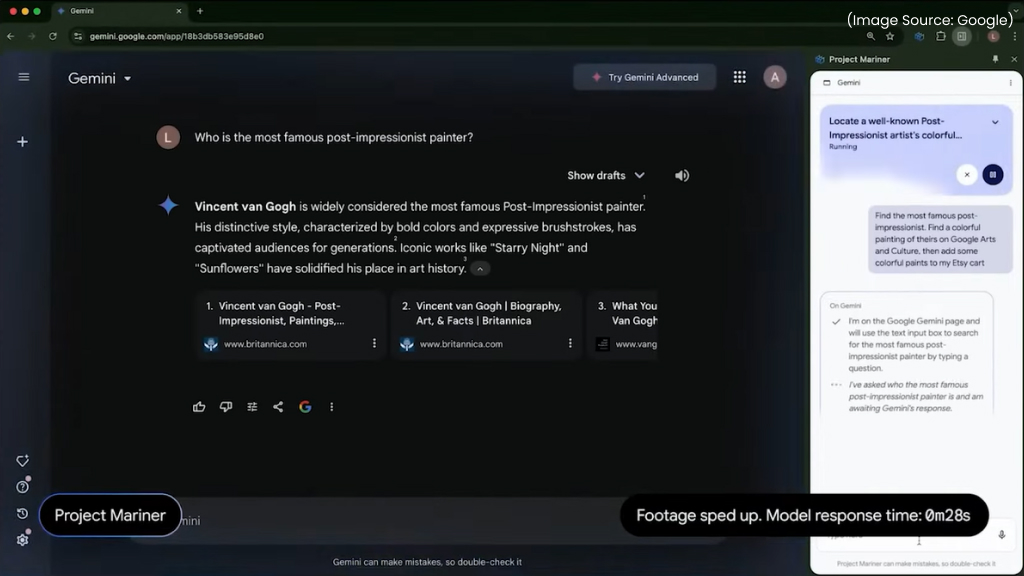
To have Gemini work with Google Keep :
- Install the Gemini app on your Android or iOS device or open Gemini on the web.
- Sign in with your Google account, make sure it’s the same account you use for Google Keep.
- In the Gemini app settings, enable “Google Workspace” integration. This allows Gemini to connect with Keep, Gmail, Docs, Tasks, etc.
- After enabling Workspace access, you’ll be able to use commands like, create a note/list in Keep.
2. Use @Google Keep on the Gemini Web Client
If you’re using Gemini in a browser, you can type ‘@Google Keep’ before your prompt (e.g., ‘@Google Keep create a note called “Trip Plans”`) to interact with Keep directly. Gemini must have permission to access your Google account and apps like Keep, this is why enabling the Workspace integration or appropriate permissions is key.
Now that Gemini is becoming part of the Google Keep experience, it’s worth looking at how it actually improves everyday note-taking. From smarter lists to AI-powered (AI Software & AI Web) summaries and reminders, Gemini enhances the core features you already use, without changing the app’s simple design. Here’s a closer look at the key ways Gemini upgrades the Google Keep experience.
Top Ways Gemini Improves Google Keep

(Image Source: Google)
1. Smarter Note Creation with AI (AI Software & AI Web) Assistance
One of the most noticeable improvements Gemini brings to Google Keep is intelligent note creation. Rather than starting from scratch, you can rely on AI (AI Software & AI Web) prompts to generate content instantly. For example:
- Turn a rough idea into a structured note
- Expand bullet points into clear explanations
- Rewrite messy thoughts into polished text
If you jot down something vague like “Plan weekend trip,” Gemini can help expand it into a checklist covering travel, packing, budgeting, and scheduling. This is especially useful when your thoughts are incomplete or rushed. For writers and planners, Gemini acts as a brainstorming partner, helping you move from idea capture to actionable content faster.
2. Automatic Summaries for Long Notes
Google Keep isn’t traditionally meant for long-form writing, but many users still paste meeting notes, voice transcriptions, or research snippets into it. Gemini makes this far more manageable with automatic summaries. With a single prompt, Gemini can:
- Condense long notes into key points
- Highlight action items
- Extract important dates or tasks
This is incredibly helpful for meeting follow-ups or lecture notes. Instead of rereading everything, you get a quick overview that helps you act immediately. Over time, this makes Google Keep feel less like a dumping ground and more like an organized knowledge hub.
3. Better Lists and Checklists
Lists are one of Google Keep’s most popular features, and Gemini takes them to the next level. You can ask Gemini to:
- Convert paragraphs into checklists
- Reorder items logically
- Suggest missing steps
For example, a simple note like “Host dinner party” can be transformed into a complete checklist covering groceries, cooking prep, cleaning, and guest coordination. This level of automation reduces planning fatigue and ensures you don’t forget critical steps.
Gemini improves task management by organizing related items together and highlighting priority tasks, making your to-do lists easier to manage and less overwhelming.
4. Context-Aware Reminders
Google Keep already supports time- and location-based reminders, but Gemini enhances how reminders are created and understood. Instead of manually setting reminders, you can write naturally:
- “Remind me to submit the report before Friday”
- “Buy groceries when I’m near the supermarket”
Gemini understands intent and suggests appropriate reminder settings automatically. It can also detect dates, locations, and tasks buried inside notes, prompting you to turn them into reminders with minimal effort. This makes task management feel more conversational and less mechanical.
5. Improved Organization with Smart Labels
Keeping notes organized has always required some manual effort, adding labels, colors, or pinning important items. Gemini helps automate this process through context-aware organization. It can:
- Suggest relevant labels based on note content
- Identify duplicate or overlapping notes
- Recommend archiving outdated items
For users with hundreds of notes, this is a major upgrade. Gemini helps reduce clutter by making organization proactive instead of reactive. Over time, your Google Keep workspace stays cleaner without constant manual maintenance.
6. Voice Notes Made More Useful
Voice notes are convenient, but they’re often underused because searching through audio is difficult. Gemini changes that by improving how voice notes are handled. When you record a voice note, Gemini can:
- Generate accurate transcriptions
- Summarize the key points
- Make the content searchable
This is ideal for capturing ideas on the go, recording meetings, or dictating thoughts without typing. You still get the speed of voice input, but with the clarity and structure of text.
7. Seamless Integration with Google Workspace
One of Gemini’s biggest strengths is how it connects Google Keep with the rest of Google Workspace. You can:
- Turn Keep notes into Google Docs drafts
- Convert notes into Google Tasks
- Reference Keep notes while writing emails in Gmail
- Use Keep notes as context in Docs with Gemini suggestions
This integration makes Google Keep a true starting point rather than a dead end. Ideas captured in seconds can easily evolve into full documents, presentations, or action plans.
Use Cases of Google Keep’s Prowess When Combined With Gemini
(Image Source: Google)
While Gemini enhances Google Keep for nearly everyone, certain use cases stand out where AI-powered (AI Software & AI Web) assistance delivers the greatest impact. From managing information overload to turning ideas into action, Gemini adapts to different workflows and needs.
Students benefit from faster organization and review. Gemini can summarize lecture notes, convert voice recordings into readable text, and turn scattered points into structured study lists, making revision more efficient and less time-consuming.
Professionals and remote workers can use Gemini to capture meeting notes, extract action items, and create follow-up task lists in seconds. Natural-language reminders ensure deadlines and priorities don’t get lost in long notes.
Content creators and writers gain a reliable brainstorming partner. Gemini helps refine rough ideas, expand outlines, and organize research notes, allowing creators to focus more on creativity and less on formatting.
Everyday users benefit from simpler planning. Whether it’s managing shopping lists, planning trips, or tracking personal goals, Gemini reduces manual effort by automatically suggesting lists, reminders, and organization.
Privacy and Control
(Image Source: Google)
As Gemini introduces AI-powered (AI Software & AI Web) assistance into Google Keep, privacy and user control remain a key consideration. Google positions Gemini as a supportive feature rather than a replacement for manual note-taking, giving users the flexibility to decide when and how AI (AI Software & AI Web) is used.
Gemini follows the same privacy and security standards applied across Google Workspace. Your notes remain associated with your Google account, and AI-generated (AI Software & AI Web) suggestions are designed to work within existing permissions. Users are not required to rely on Gemini for every task, traditional note creation, editing, and organization are still fully available.
Most Gemini features are prompt-based or suggestion-driven, meaning nothing happens automatically without user input. This ensures transparency and prevents unwanted changes to notes or lists. You can choose to engage with AI (AI Software & AI Web) assistance only when it adds value to your workflow.
By balancing intelligence with user control, Google Keep maintains its lightweight feel while offering smarter capabilities, allowing users to benefit from Gemini without compromising privacy or autonomy.