



Chrome extensions have evolved dramatically in the last few years. Once simple add-ons designed to block ads or save passwords, today’s extensions have become powerful tools that transform how you work, browse, write, shop, and stay secure online. They have become essential tools for anyone who wants a faster, smarter, and more efficient browsing experience.
With Chrome moving deeper into AI (AI Software & AI Web) integrations and Manifest V3 reshaping security and privacy rules, 2026 brings a renewed need to be selective about what you install.
What Chrome Extensions Are?

Chrome extensions are small software add-ons that enhance what the browser can do, letting users customize their web experience far beyond Chrome’s default features. Their role has become even more significant as browsers evolve into productivity hubs rather than simple browsing tools. With rising digital workloads, increased online learning, and the rapid growth of remote work, users rely on their browsers for almost everything. At the same time, privacy concerns and online distractions continue to grow, making the right extensions essential for staying focused and safe.
Extensions can automate tasks, block unwanted content, improve security, personalize workflows, and connect the browser with the rest of your digital life. At their core, they work by interacting with the webpages you visit and Chrome’s built-in APIs. They can analyze page content, modify how pages behave, store or retrieve data, or add new interface elements.
Some extensions enhance privacy by blocking trackers, while others streamline work by integrating with apps like Notion, Drive, Figma, or Slack directly from your browser window. Take a look at the best Chrome Extensions options for 2026.
Best Chrome Extensions for 2026
Below is a curated list of the most powerful, reliable, and widely recommended Chrome extensions this year. Each one enhances a key aspect of browsing, whether it’s writing, reading, shopping, or staying productive.
1. Dark Reader
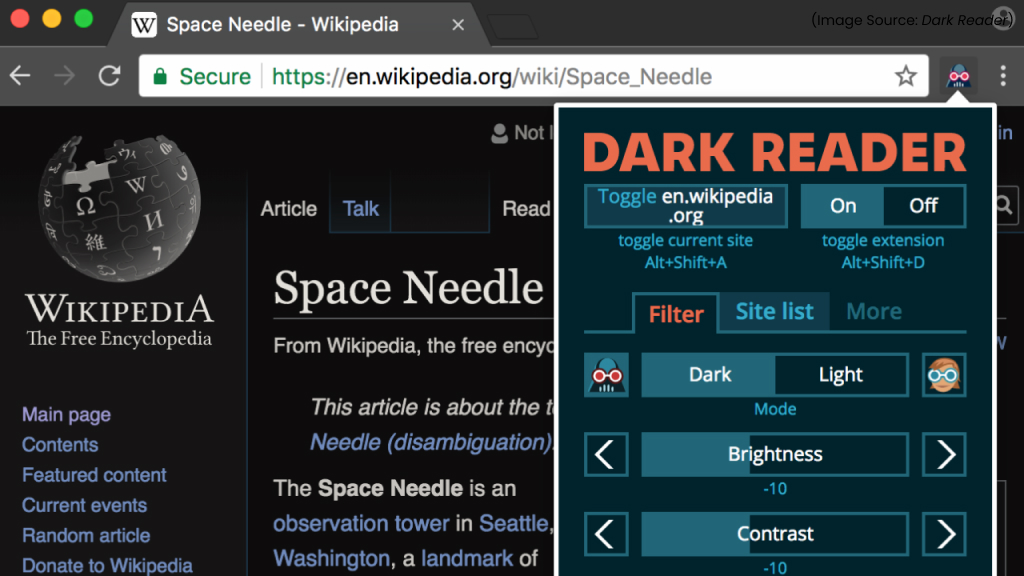
If you work late hours, read frequently online, or simply prefer a darker interface, Dark Reader is indispensable.
Key Features
-
Dynamic Dark Mode
Automatically creates dark themes for websites instead of simply inverting colors, ensuring clean, readable pages.
-
Custom Controls
Adjust brightness, contrast, sepia, grayscale, and font settings to match your visual comfort.
-
Per-Site Settings
Enable or disable dark mode for specific websites and save your preferences.
-
Light/Dark Switching
Easily toggle modes with a single click or keyboard shortcut.
-
Reduced Eye Strain
Designed to make long browsing sessions more comfortable by lowering glare.
-
Open-Source and Ad-Free
No tracking or ads, making it a privacy-safe choice.
Dark Reader remains a top Chrome extension, because it delivers a smarter, more refined dark mode than built-in browser themes. As people spend more time online for work, study, and entertainment, eye comfort has become a priority, and Dark Reader addresses this flawlessly.
The customization tools, consistent performance across websites, and commitment to privacy make it stand out from other dark-mode tools. For anyone who browses frequently or works late hours, Dark Reader offers a healthier, more enjoyable web experience.
2. Grammarly / ProWritingAid
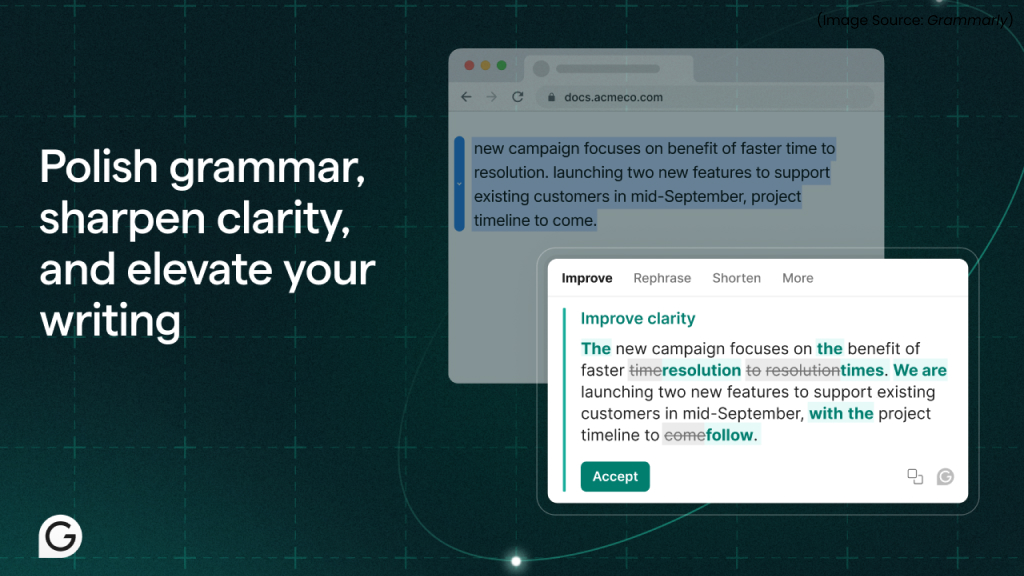
Whether you’re emailing, blogging, or posting on social media, writing tools like Grammarly and ProWritingAid catch mistakes instantly.
Key Features of Grammarly
-
Real-Time Grammar and Spelling Checks
Instantly identifies errors and suggests accurate corrections as you type.
-
Tone Detection
Helps you adjust the tone of your message (formal, friendly, confident, etc.) before sending or publishing.
-
Improved Rewrite Suggestions
Offers full-sentence rewrites for clarity, conciseness, and better readability.
-
Plagiarism Checker
Cross-references content across the web to ensure originality.
-
Vocabulary Enhancements
Suggests better word choices and phrases to strengthen your writing style.
-
Email and Social Platform Integration
Works seamlessly on Gmail, LinkedIn, Twitter, Google Docs, and many more writing platforms.
Grammarly continues to lead in writing assistance, offering fast, accurate corrections and AI-powered (AI Software & AI Web), context-aware tone suggestions. Compatible across web apps, it helps students, professionals, and content creators write clearly and efficiently. Its blend of intelligence, simplicity, and seamless integration makes Grammarly an essential Chrome extension for improving communication and eliminating errors.
Key Features of ProWritingAid
-
In-Depth Writing Reports
Provides detailed insights on grammar, style, readability, sentence variety, pacing, and more.
-
Advanced Style Editor
Flags weak verbs, repetitive words, clichés, and overly complex sentences.
-
Contextual Thesaurus
Offers context-aware synonyms to help you choose the most precise vocabulary.
-
Structure and Flow Analysis
Evaluates story flow and sentence rhythm, especially helpful for authors and long-form writers.
-
Writing Templates and Guides
Offers built-in resources to help with essays, creative writing, blog posts, etc.
-
Seamless Integrations
Works with Google Docs, Scrivener, email platforms, and most major writing apps via Chrome.
ProWritingAid stands out for its editor-level analysis, offering detailed reports on grammar, style, readability, and structure. Ideal for bloggers, authors, students, and professionals, it goes beyond quick fixes to help improve long-term writing skills. With contextual suggestions and creative-writing tools, ProWritingAid remains one of the most comprehensive and valuable Chrome extensions for writing.
3. StayFocusd
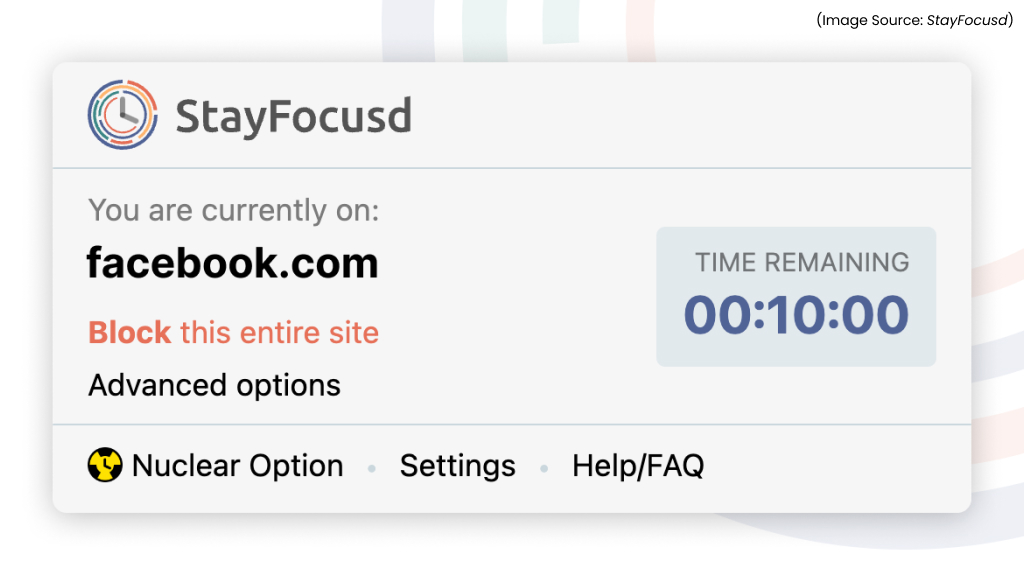
With so many distractions online, StayFocusd continues to be one of the most effective focus tools for Chrome users.
Key Features
-
Site Blocking and Time Limits
Restrict access to distracting websites by setting daily usage limits or blocking them entirely.
-
The “Nuclear Option”
A powerful mode that locks you out of all restricted websites for a set period, no overrides or loopholes.
-
Precision Controls
Block specific pages, subdomains, or even certain types of content (videos, forums, social feeds).
-
Active Hours Scheduling
Customize when StayFocusd should enforce rules, such as during work hours or study sessions.
-
Idle Detection
Pauses your countdown timer if you’re away from the computer, ensuring fair usage tracking.
-
Motivational Challenge Mode
Requires you to complete tedious tasks before changing settings, preventing impulsive disabling.
StayFocusd remains a top productivity extension, offering deep customization and strict enforcement to combat online distractions from social feeds, streaming, and AI (AI Software & AI Web) content. Its balance of flexibility and discipline allows users to set tailored browsing rules. Ideal for students, remote workers, or anyone managing screen time, StayFocusd helps boost focus and productivity effectively.
4. AdGuard

AdGuard remains one of the strongest, most compatible ad-blocking extensions under Chrome’s modern rules.
Key Features
-
Powerful Ad Blocking
AdGuard removes intrusive ads, pop-ups, auto-play videos, banners, and floating elements across websites, creating a smooth and distraction-free browsing experience.
-
Tracker and Analytics Blocking
It blocks third-party trackers, analytics scripts, and hidden data collectors, giving users better privacy and faster page loading speeds.
-
Custom Filter Lists
Supports a wide range of filter lists, regional filters, anti-tracking lists, social media filters, and user-created rules, allowing you to tailor blocking behavior.
-
Anti-Phishing and Malware Protection
Warns you when a webpage is unsafe or contains suspicious links, helping you avoid scams, phishing attempts, and harmful downloads.
-
Element Blocking Tool
Offers a visual picker that lets you manually remove any page element you find annoying, such as sticky bars, cookie pop-ups, or sidebar widgets.
-
AdGuard Sync
Syncs your settings, filters, and rules across devices using your AdGuard account, ensuring consistent protection everywhere.
-
Lightweight and Efficient
Designed to use minimal memory and CPU, even when blocking heavy scripts or large ad networks.
AdGuard offers powerful ad blocking and robust privacy protection. Its fast, efficient engine and customizable filter lists give users control over content while blocking trackers and phishing attempts. With rising online threats, AdGuard ensures a cleaner, safer, and faster browsing experience, making it an essential tool for privacy-conscious users.
5. Ghostery
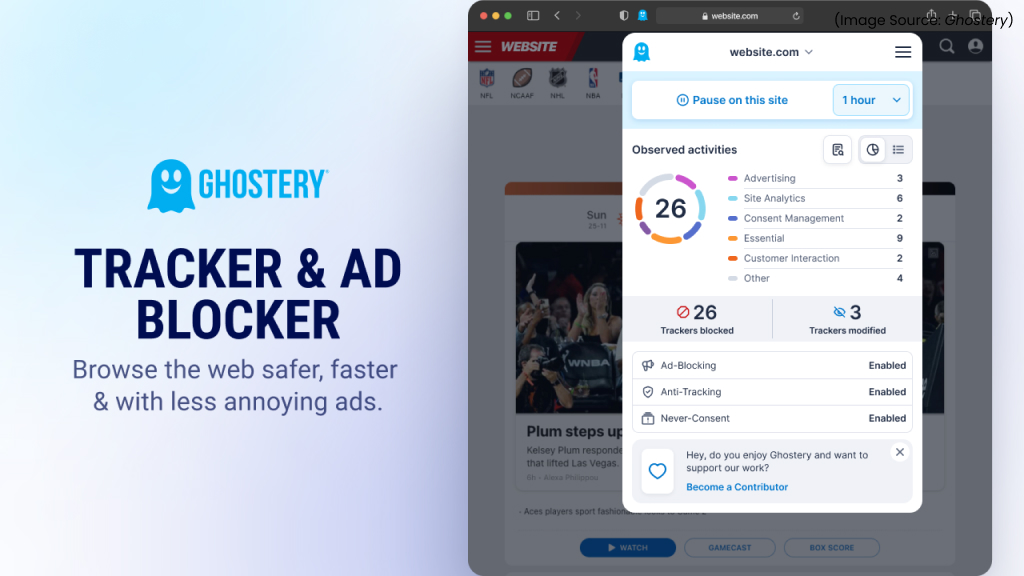
Ghostery pairs ad-blocking with privacy analytics, showing which companies track your activity.
Key Features
-
Tracker Blocking
Ghostery automatically blocks advertising trackers, analytics trackers, social media trackers, and other scripts that collect user data behind the scenes.
-
Enhanced Privacy Protection
It prevents companies from profiling you or following your activity across websites, boosting your online anonymity.
-
Faster, Cleaner Browsing
By stopping heavy tracking scripts, pages load faster, feel lighter, and show fewer annoying ads.
-
Built-in Ad Blocker
Ghostery blocks most intrusive ads, pop-ups, and banners, improving the overall browsing experience.
-
Transparent Tracker Information
Consumers can see which companies are tracking them on any website and what type of data those trackers typically collect.
-
Anti-Tracking Technology
Ghostery’s AI-powered (AI Software & AI Web) anti-tracking masks personal data so trackers cannot link activity back to the user.
-
Private Search
It includes a private search engine that hides the user’s identity and removes tracker-laced results.
Ghostery stands out because of its combination of strong tracker blocking, transparent reporting, and AI-enhanced (AI Software & AI Web) privacy tools. With websites relying more heavily on hidden scripts and cross-site tracking, Ghostery provides users with granular control and real-time visibility that most privacy extensions lack. Its ability to speed up browsing, protect personal data, and offer a cleaner online experience makes it one of the top privacy extensions of the year.
6. Raindrop.io
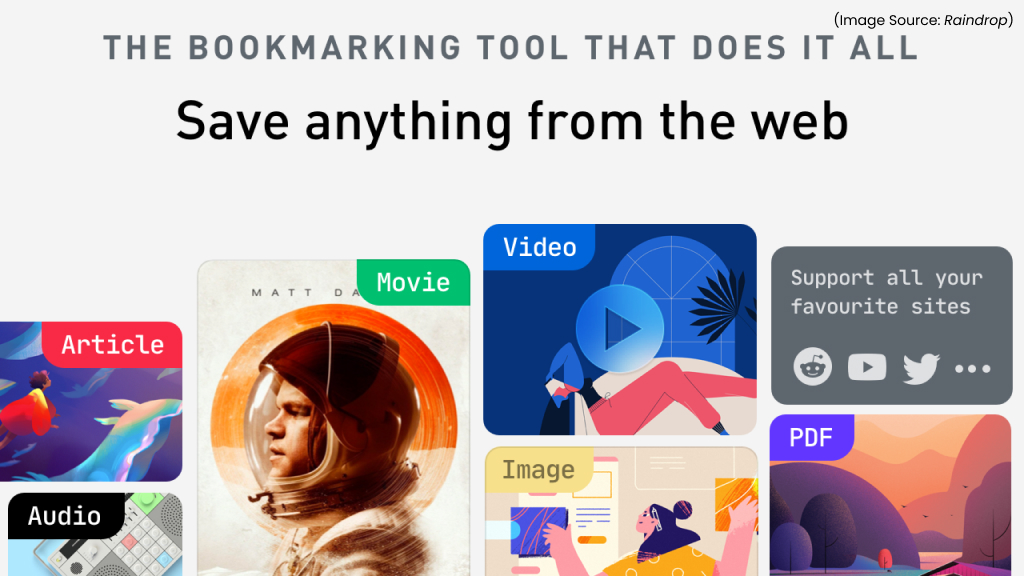
If you’re tired of messy Chrome bookmarks, Raindrop.io is the modern solution.
Key Features
-
All-in-One Bookmarking
Raindrop.io lets you save webpages, articles, PDFs, images, and videos in one place, turning your bookmarks into a beautifully organized library.
-
Smart Collections and Tags
Create folders, subfolders, and nested tags to organize links by project, topic, or workflow. Collections can be customized with icons, covers, and sorting rules.
-
Automatic Content Parsing
The extension auto-fetches article summaries, thumbnails, metadata, and snapshots so you can quickly identify saved items.
-
Powerful Search and Filters
Advanced search helps you quickly find bookmarks by keyword, tag, content type, or date, ideal for researchers and content curators.
-
Cross-Device Sync
Seamlessly syncs your bookmarks across Chrome, mobile apps, and desktop versions so your library is always accessible.
-
Shared Collections
Collaborate by sharing folders with teammates, classmates, or friends, perfect for research projects and content teams.
-
Web Clipper Tool
Save articles with clean formatting, remove clutter, or capture full-page screenshots directly from the extension.
Raindrop.io is one of the top Chrome extensions because it transforms bookmarking into a modern, visually organized system that’s actually useful. With powerful search, clean layouts, and automatic content parsing, it helps users manage growing amounts of digital information effortlessly. Whether you’re a student, researcher, or productivity-focused professional, its organization tools and seamless syncing make it an essential extension for keeping your online resources structured and easy to access.
7. OneTab
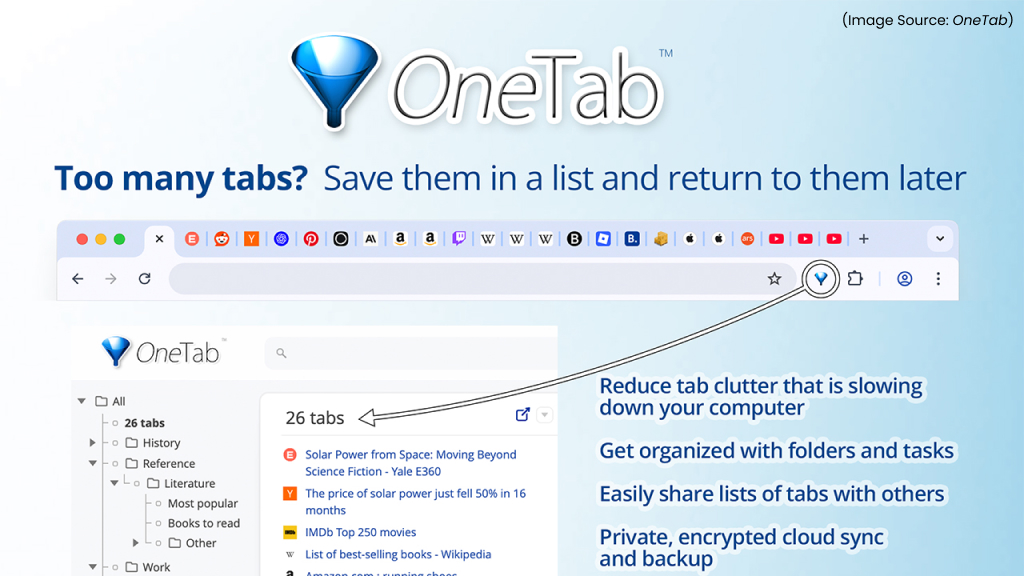
Tab overload is a universal problem, but OneTab solves it with one click.
Key Features
-
Instant Tab Reduction
OneTab converts all your open tabs into a simple list with one click, freeing RAM and decluttering your browser instantly.
-
Up to 95% Memory Savings
By suspending unused tabs, OneTab can significantly reduce Chrome’s memory usage and improve your system’s speed.
-
Easy Tab Restoration
Restore individual tabs or your entire list whenever needed, ensuring nothing gets lost while controlling clutter.
-
Organized Tab Groups
Save tab lists into separate groups, rename collections, or lock them for long-term projects and research tasks.
-
Export and Share Lists
Export tabs as URLs or share collections with colleagues, students, or collaborators, ideal for team research or resource sharing.
-
Drag-and-Drop Management
Reorder, merge, or split tab lists effortlessly, giving users flexible control over their workspace organization.
-
Privacy-Friendly Design
OneTab never sends your tabs or data to external servers; everything stays on your device.
OneTab remains a top Chrome extension because it solves one of the web’s biggest productivity challenges, tab overload. As people juggle research, multitasking, and AI (AI Software & AI Web) tools across dozens of tabs, OneTab offers a clean, lightweight solution that keeps your browser fast and organized. Its simplicity, memory-saving power, and privacy-focused approach make it an essential tool for students, professionals, and anyone who needs a more efficient browsing setup.
8. Bitwarden
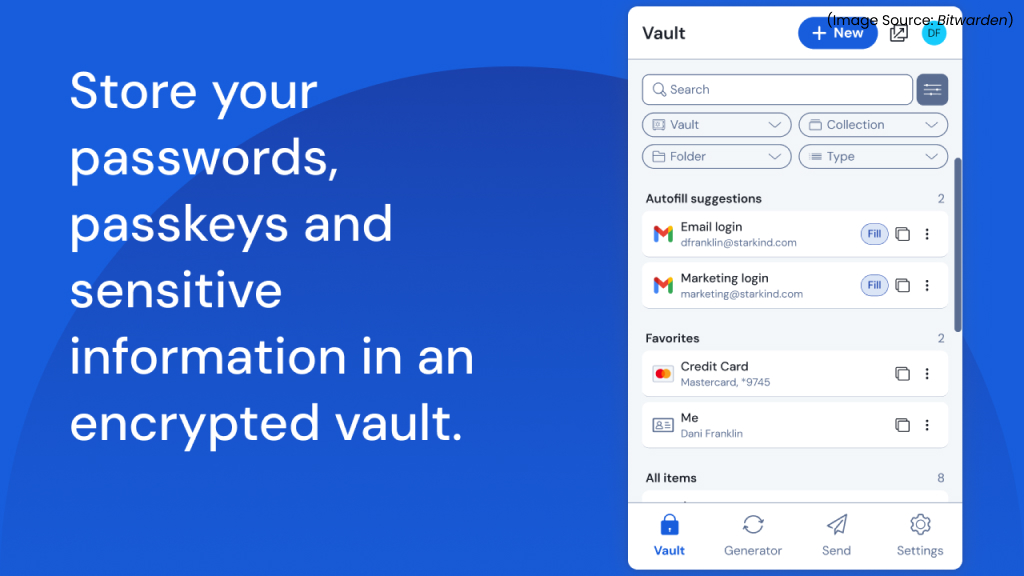
With cyber threats growing, a secure password manager is non-negotiable. Bitwarden remains the top choice for most users.
Key Features
-
Secure Password Vault
Bitwarden stores all your passwords, logins, and sensitive information in an encrypted vault protected with end-to-end encryption.
-
Autofill and Auto-Login
Automatically fills in usernames, passwords, payment details, and secure notes across websites with one click.
-
Password Generator
Creates strong, unique passwords based on customizable rules for improved online security.
-
Cross-Platform Sync
Sync your vault across Chrome, mobile apps, desktop apps, and other devices at no additional cost.
-
Open-Source Transparency
Bitwarden’s source code is publicly available, allowing experts to verify its security and ensuring long-term trust.
-
Encrypted Sharing
Securely share logins with family members, teams, or colleagues using organization features.
-
Two-Factor Authentication (2FA)
Supports TOTP, security keys, biometrics, and additional authentication methods for added protection.
-
Breach Monitoring
Alerts you if your saved accounts appear in known data breaches so you can update credentials immediately.
Bitwarden delivers enterprise-level password security at no cost, while remaining fully open-source and transparent. As cyberattacks and credential leaks continue to rise, users need reliable, cross-platform protection more than ever. Bitwarden’s encrypted vault, breach alerts, and seamless autofill make managing passwords effortless without compromising privacy. Its blend of power, affordability, and trust makes it one of the top security extensions of the year.
9. Todoist
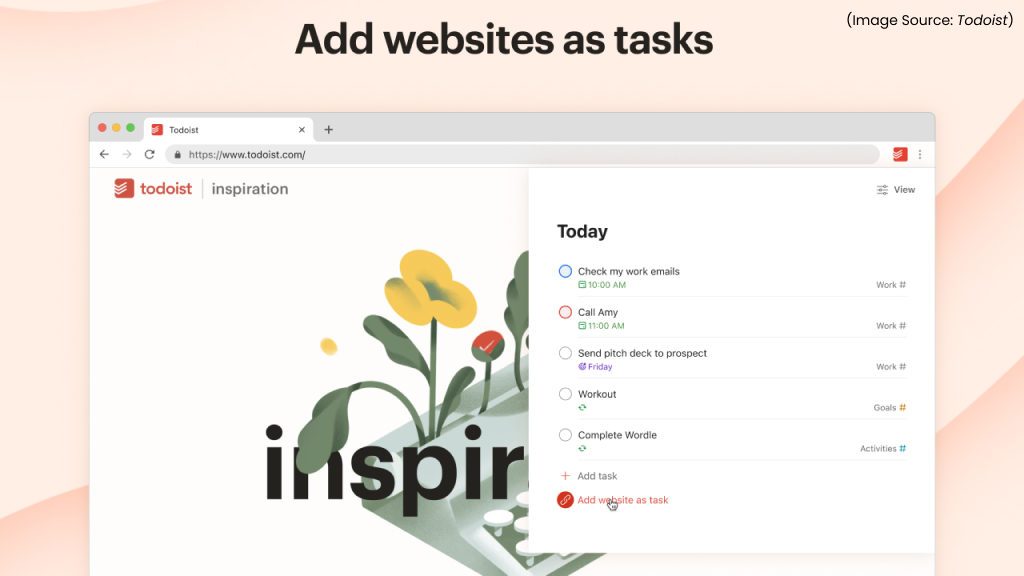
Todoist is a powerful task-management extension that helps you organize your day and stay on top of your priorities directly from your browser.
Key Features
-
Quick Task Capture
Add tasks from any webpage using the extension’s one-click capture tool.
-
Due Dates and Priority Levels
Organize tasks by deadlines, reminders, and color-coded priority flags.
-
Project and Label Organization
Sort tasks into projects and sub-projects, or tag them with labels for fast filtering.
-
Cross-Device Sync
All your tasks sync instantly across web, mobile, and desktop.
-
Integration with Gmail, Slack and More
Turn emails or messages into actionable tasks from within the Chrome browser.
Todoist is a top productivity extension thanks to its clean design, reliable syncing, and seamless task capture from anywhere on the web. As work becomes increasingly digital and fast-paced, having a lightweight, intuitive task manager is essential. Todoist’s natural language input, powerful filtering, and project management tools make it perfect for students, professionals, and anyone looking to stay organized without feeling overwhelmed.
10. Loom
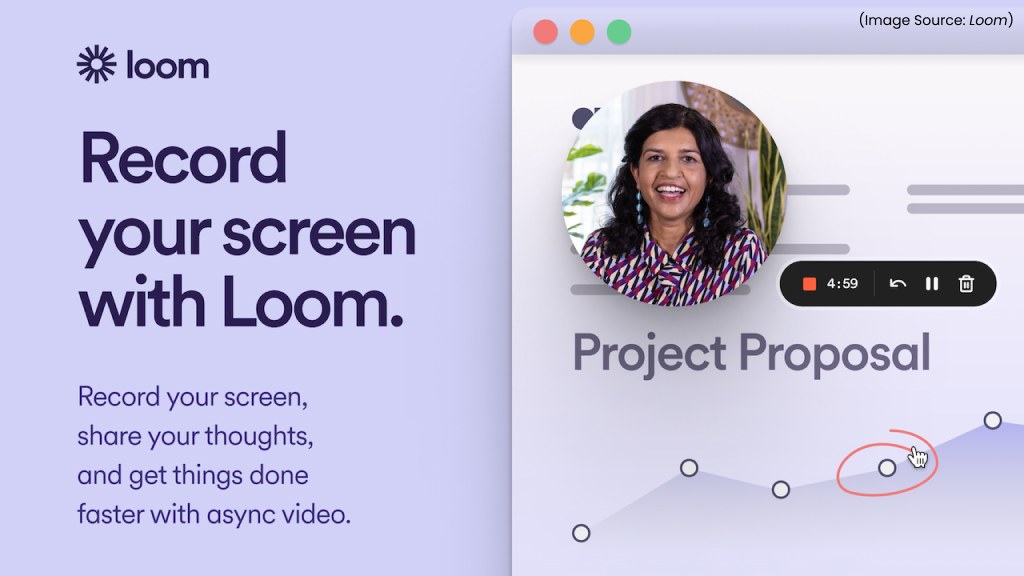
Loom makes recording tutorials, walkthroughs, or feedback videos incredibly simple.
Key Features
-
Instant Screen Recording
Capture your screen, webcam, or both simultaneously with a single click.
-
Quick Sharing Links
Automatically generates a shareable video link seconds after recording.
-
Annotations and Callouts
Add highlights, emojis, comments, and notes directly on your video.
-
HD Video Output
Ensures clear, high-quality recordings suitable for tutorials, demos, and presentations.
-
Viewer Analytics
See who watched your video, how long they viewed, and where they dropped off.
-
Secure Sharing Controls
Restrict access, add passwords, or enable team-only visibility.
Loom continues to dominate because video communication has become essential for remote work, training, support, and collaboration. The Chrome extension’s ability to record and share videos instantly saves hours otherwise spent typing long explanations. Its speed, clarity, and ease of use make it one of the must-have tools for teams, creators, educators, and anyone who needs to explain complex ideas visually.
11. Google Keep
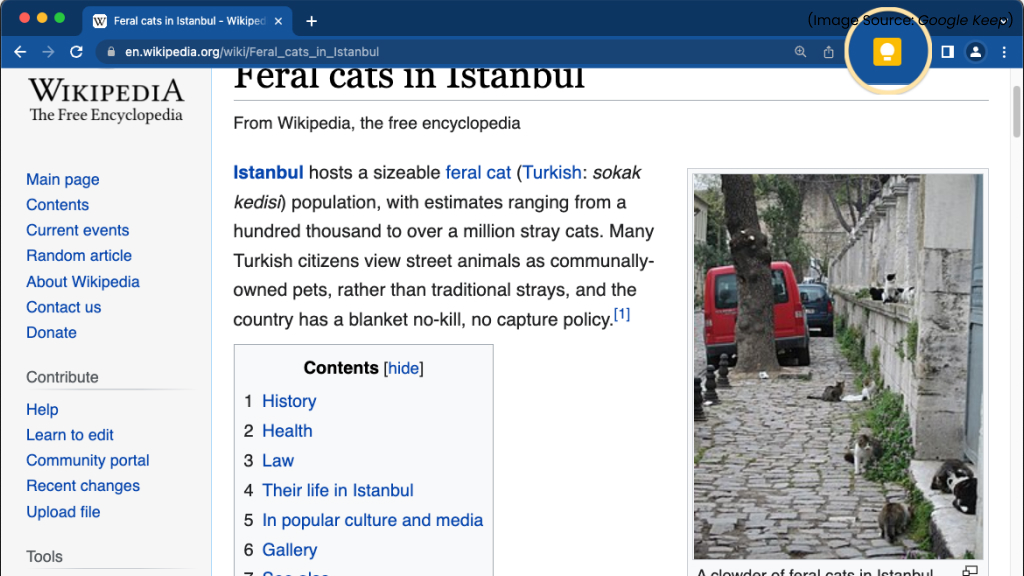
Google Keep’s Chrome extension makes capturing ideas instant.
Key Features
-
One-Click Note Saving
Save text, images, and links from any webpage directly into Google Keep.
-
Color-Coded Notes and Labels
Organize notes with colors, labels, and pinned items for easy retrieval.
-
Voice Notes and Image OCR
Convert spoken notes to text and extract text from images.
-
Cross-Platform Sync
Access your notes from any device using your Google account.
-
Checklists and Reminders
Create to-do lists with reminders based on time or location.
-
Seamless Google Integration
Works smoothly with Docs, Calendar, and Gmail for better workflows.
Google Keep remains a favorite because it’s fast, flexible, and accessible on every device. The Chrome extension makes it easy to capture ideas, links, and images in seconds, ensuring nothing is forgotten. With powerful syncing and Google ecosystem integration, it’s one of the most convenient tools for staying organized, whether you’re working, studying, or managing personal tasks.
12. Volume Master
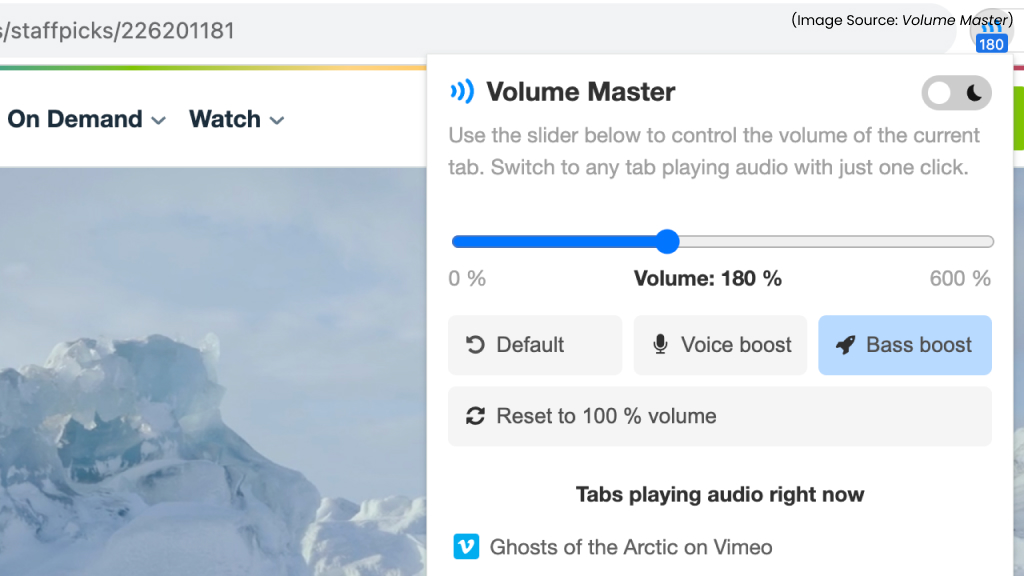
Volume Master is a handy Chrome extension that lets you boost and control the volume of individual tabs with precision.
Key Features
-
Boost Tab Volume Up to 600%
Raise the volume on quiet videos, meetings, or streams far beyond Chrome’s default limit.
-
Per-Tab Volume Control
Adjust volume levels individually for each tab.
-
Smart Audio Slider
Use an intuitive slider interface to manage loudness quickly.
-
Easy Tab Switching
Shows all active audio tabs, making it simple to find and control sound sources.
-
Lightweight and Lag-Free
Designed to boost volume without affecting browser performance.
Volume Master remains one of the most downloaded extensions because users increasingly depend on browsers for calls, streaming, learning, and entertainment. When audio levels vary widely between platforms, Volume Master ensures consistent sound control without extra software. Its simplicity, per-tab adjustments, and powerful volume boost make it indispensable for students, professionals, and anyone consuming media online.
13. Hive AI (AI Software & AI Web) Detector
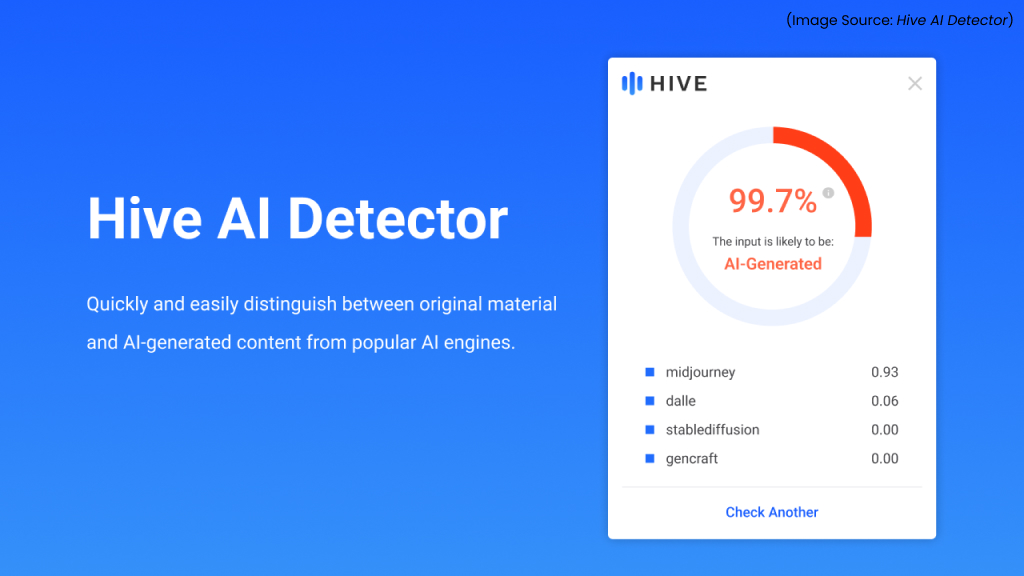
As AI-generated (AI Software & AI Web) text becomes more common, tools like Hive AI (AI Software & AI Web) Detector help you evaluate authenticity.
Key Features
-
Accurate AI-Content (AI Software & AI Web) Detection
Analyzes text on webpages, documents, or social media to determine if content is AI-generated (AI Software & AI Web).
-
Real-Time Scanning
Detects AI (AI Software & AI Web) patterns as you browse, without needing to copy/paste text.
-
Multiple Detection Models
Uses an ensemble of AI (AI Software & AI Web) models to increase reliability and reduce false positives.
-
Privacy-Focused Processing
Sensitive data is anonymized before analysis to protect user privacy.
-
Educator and Research Tools
Includes citation checks, originality scores, and content breakdowns.
With AI-generated (AI Software & AI Web) content becoming more widespread, Hive AI (AI Software & AI Web) Detector is essential for students, educators, journalists, and professionals. Its real-time analysis and high accuracy make it a trusted tool for verifying authenticity and maintaining academic or professional integrity. As misinformation and AI (AI Software & AI Web) misuse grow, Hive remains one of the most valuable extensions for ensuring transparency in digital content.
14. Rakuten
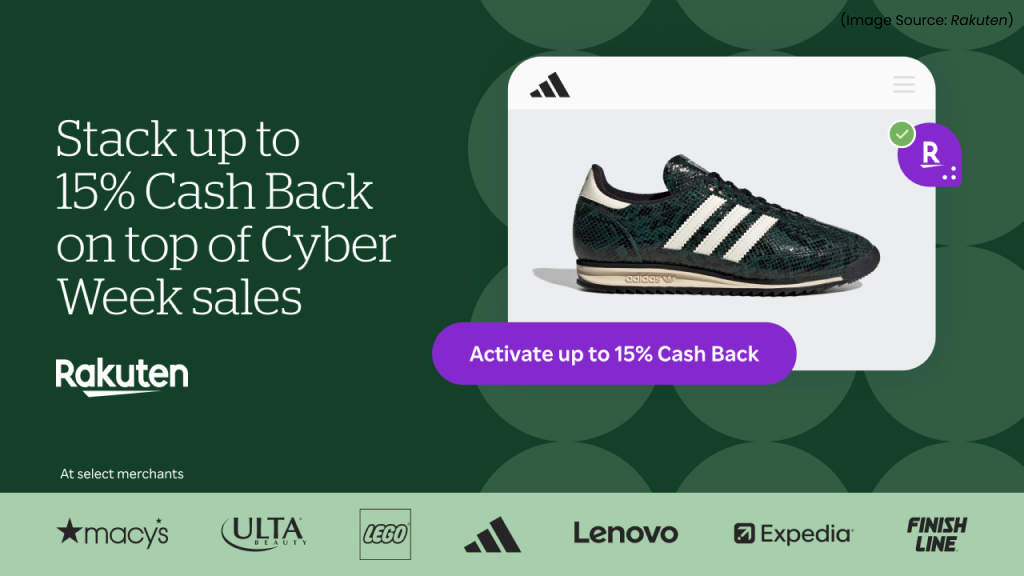
Rakuten is a popular cashback and coupon extension that helps users save money automatically while shopping online.
Key Features
-
Automatic Coupon Finder
Finds and applies the best available coupons at checkout with one click.
-
Cashback Rewards
Earn cashback on thousands of online stores directly through the extension.
-
Price Comparison Alerts
See if another retailer offers a better deal instantly.
-
Seasonal Deals and Bonus Cash
Get alerts for limited-time offers, bonus events, and holiday discounts.
-
Purchase Tracking Dashboard
Track earned cashback and pending rewards in one place.
Rakuten continues to be a top shopping extension because it reliably saves users money without added effort. Its automatic cashback, coupon detection, and price alerts make online shopping more affordable. With inflation and rising e-commerce activity, Rakuten’s ability to deliver instant savings at checkout keeps it one of the most popular extensions for smart shoppers.
15. Google Translate
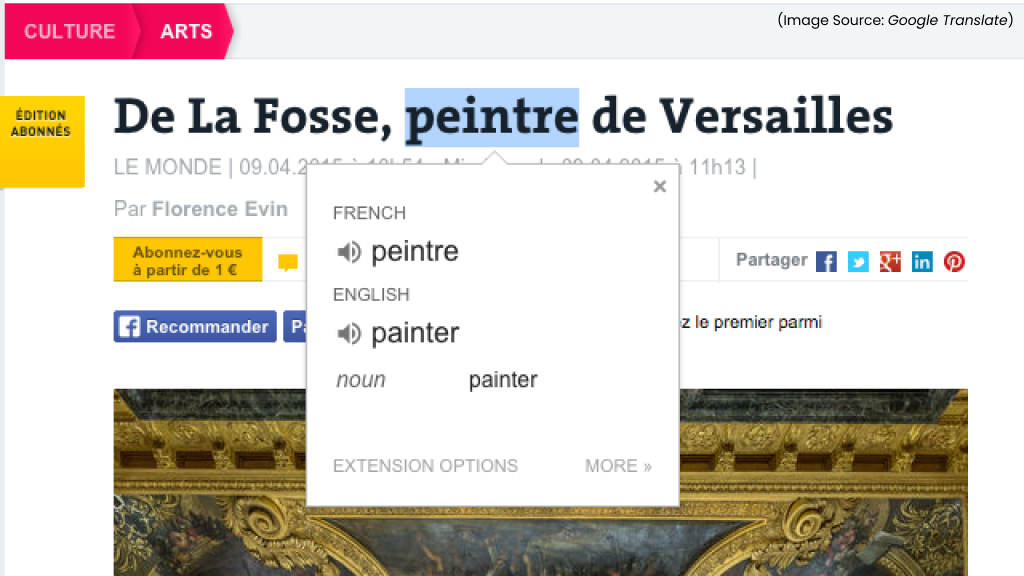
Google Translate’s extension remains unmatched for quick language assistance.
Key Features
-
Instant Website Translation
Translate entire webpages with one click into over 130 languages.
-
Text Snippet Translation
Highlight any text and translate it instantly without leaving the page.
-
Voice Input and Pronunciation
Hear translated phrases out loud for language learning or travel.
-
Context-Aware Translation
Improved models provide more natural, accurate sentence structures.
-
Dictionary and Synonyms
Offers definitions, alternate phrases, and usage examples for deeper understanding.
Google Translate remains indispensable due to its speed, accuracy, and seamless integration with Chrome. Whether you’re traveling, studying, working with global teams, or browsing international websites, it makes multilingual browsing effortless. With continuous improvements in context-aware translation, it has become one of the most reliable language tools available, perfect for both quick lookups and full-page translations.
How to Choose Extensions Wisely in 2026

With thousands of Chrome extensions available in 2026, choosing the right ones requires caution and strategy. Start by identifying your primary needs, productivity, privacy, writing, or shopping, so you install only extensions that provide real value. Always check the developer’s reputation, read user reviews, and ensure the extension is regularly updated to remain compatible with Chrome’s latest standards, including Manifest V3.
Pay close attention to permissions: avoid extensions requesting access to more data than necessary. Install one extension at a time and monitor its impact on browser speed and performance. Periodically review your installed extensions and remove unused or redundant ones. Prioritize tools that are secure, lightweight, and privacy-focused. By being selective and strategic, you can build a curated set of extensions that enhance your browsing experience without compromising speed, security, or productivity.
Choosing extensions wisely, focusing on security, relevance, and performance, ensures you get maximum benefit without slowing down your browser or compromising privacy. Smart combinations of extensions can further streamline workflows, improve online efficiency, and make information management effortless.
By curating a set of tools tailored to your needs, you can turn Chrome into a powerful, personalized workspace that saves time, protects your data, and enhances productivity. In 2026, the right Chrome extensions aren’t just optional, they’re indispensable.