


Open-source software continues to gain popularity among Mac users, offering powerful features without the cost or restrictions of proprietary apps. In 2026, the open-source ecosystem for macOS is expected to be more polished, secure, and user-friendly than ever, serving professionals, developers, students, and everyday users alike.
From productivity tools and creative software to privacy-focused utilities and system enhancers, these apps deliver transparency, flexibility, and long-term reliability. Let’s explore the best open-source apps for Mac users in 2026 that combine performance, innovation, and community-driven development to elevate your macOS experience.
1. AltTab
(Image Source: AltTab)
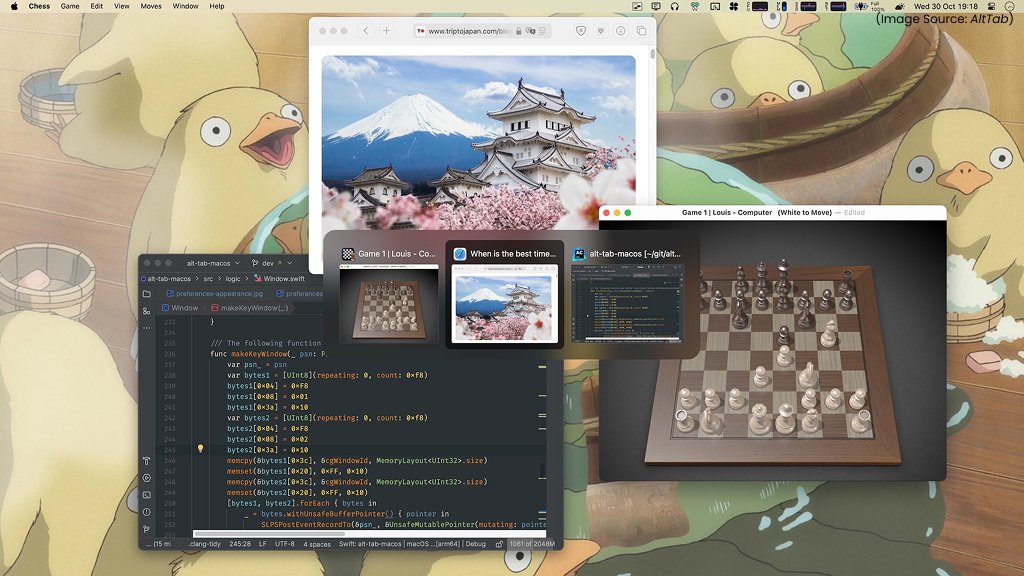
AltTab significantly improves window switching on macOS by addressing one of the platform’s long-standing weaknesses: efficient window management. While Apple has introduced basic window snapping in recent macOS versions, switching between individual windows, especially within the same app, still feels clumsy. macOS’s default Cmd+Tab switches between apps, not windows, often forcing users to rely on Mission Control, or the Dock.
AltTab solves this by displaying clear, real-time previews of all open windows, including minimized and hidden ones. Designed specifically for Mac users, it offers highly customizable shortcuts, window filtering, and multi-monitor support. Lightweight and open-source, AltTab delivers a faster, more intuitive window-switching experience without disrupting macOS’s native behavior, making it an essential productivity tool in 2026.
2. Battery Toolkit
(Image Source: softpedia)
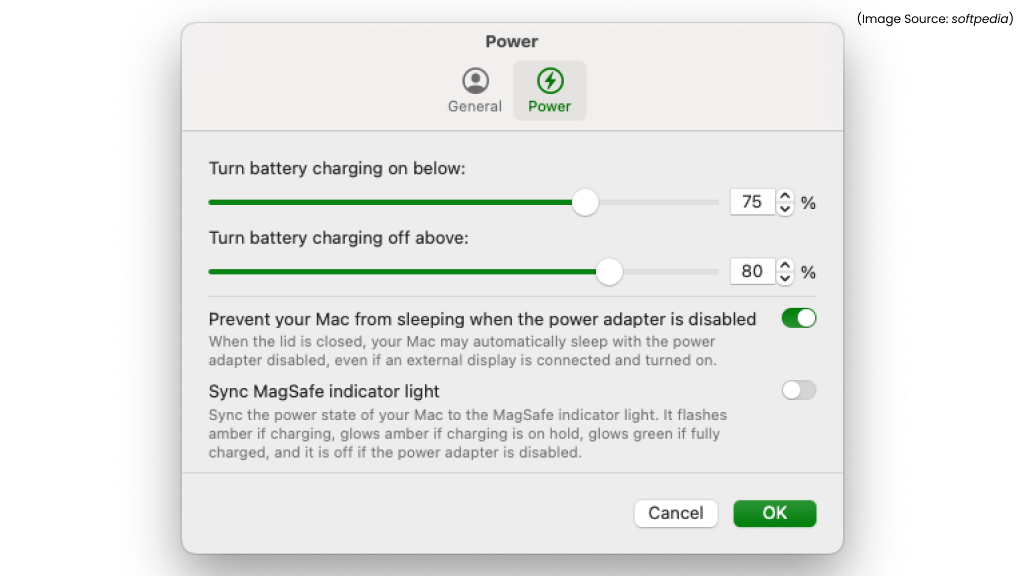
Battery Toolkit addresses a key limitation in macOS by giving users direct control over battery charging limits, something macOS still does not offer natively. For MacBook users who frequently work while plugged in, relying solely on Apple’s adaptive battery management isn’t always ideal. Battery Toolkit allows you to set a maximum charge percentage manually, helping reduce battery wear and extend long-term health.
A particularly useful feature is the ability to temporarily charge to 100% from the menu bar when you know you’ll be away from a power source. In addition to charge limiting, the app provides detailed insights into battery cycles, temperature, and overall health. Lightweight and open-source, Battery Toolkit is an essential utility for maintaining MacBook battery longevity in 2026.
3. Clocker
(Image Source: Apple)
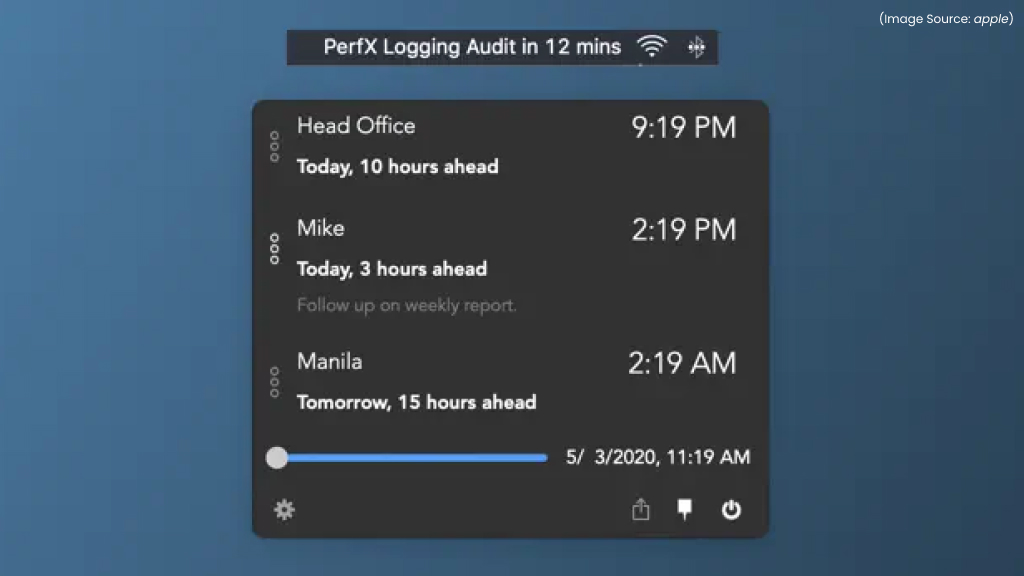
Clocker is a lightweight open-source world clock designed specifically for macOS, making it easy to manage multiple time zones directly from the menu bar. While macOS offers time zone widgets, they are often buried behind extra clicks and feel better suited to mobile devices than desktop workflows. Clocker takes a more practical approach by placing your selected cities just one click away in the menu bar. This makes it ideal for Mac users working with global teams, clients, or remote schedules.
You can instantly compare time differences, plan meetings, and avoid scheduling mistakes without opening separate apps. Seamlessly integrated with macOS, Clocker remains fast, distraction-free, and privacy-friendly. In 2026, it continues to be a smarter and more desktop-friendly solution for time zone management on Mac.
4. LinearMouse
(Image Source: LinearMouse)
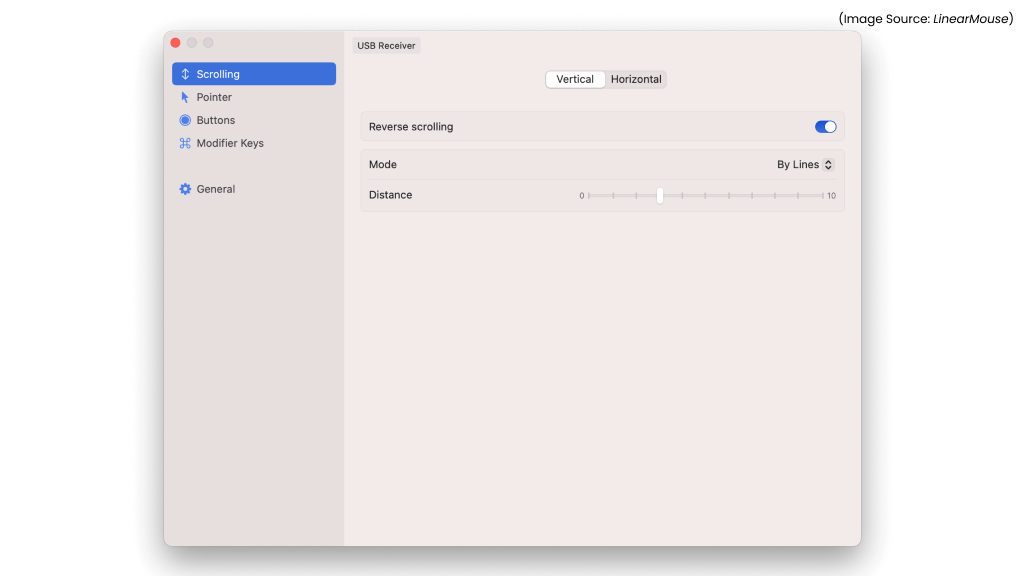
LinearMouse solves one of macOS’s most frustrating input limitations, that is inconsistent mouse behavior and the lack of intuitive zoom controls. On Windows, holding Control and scrolling to zoom works almost everywhere, but on macOS, users are often forced to rely on app-specific menus or trackpad pinch gestures. LinearMouse bridges this gap by allowing modifier-based zooming with a regular mouse, making everyday navigation far more natural.
Beyond zooming, it gives Mac users fine-grained control over scrolling direction, acceleration, and sensitivity, with separate settings for mice and trackpads. This is especially useful for users who switch between input devices or prefer precise cursor movement. Lightweight and open-source, LinearMouse runs quietly in the background while delivering a noticeably smoother and more predictable input experience on Mac.
5. Maccy

(Image Source: Maccy)
Maccy fills a major gap in macOS by providing a fast, reliable clipboard manager, something Apple still doesn’t offer natively. Maccy keeps a searchable history of text, images, and files, making it easy to reuse previously copied content. Designed specifically for Mac, it lives quietly in the menu bar and can be used instantly with a custom keyboard shortcut. This makes copying and pasting feel far more efficient, especially for writers, developers, and researchers.
Maccy also includes thoughtful features such as app ignore lists for sensitive tools like password managers and options to paste content without formatting. Lightweight, open-source, and privacy-friendly, it keeps all data stored locally under your control. By 2026, Maccy will remain one of the most practical productivity upgrades for everyday macOS workflows.
6. Middle Click

(Image Source: Middle Click)
Middle Click adds a small but impactful feature to macOS by enabling true middle-click functionality across the system. While many trackpads support a third-click action, macOS does not use it consistently, making common tasks like opening links in new tabs less intuitive. Middle Click solves this by allowing Mac users to trigger middle-click actions using a mouse button or customizable trackpad gestures. For example, it can simulate a scroll-wheel click without relying on Force Touch, restoring familiar navigation patterns.
The app is especially useful for developers, researchers, and heavy browser users who open and manage multiple tabs throughout the day. Lightweight and open-source, Middle Click runs quietly in the background with minimal configuration. Middle Click is a simple yet essential utility that makes everyday browsing and multitasking on Mac feel faster and more natural.
7. Darktable
(Image Source: Darktable)
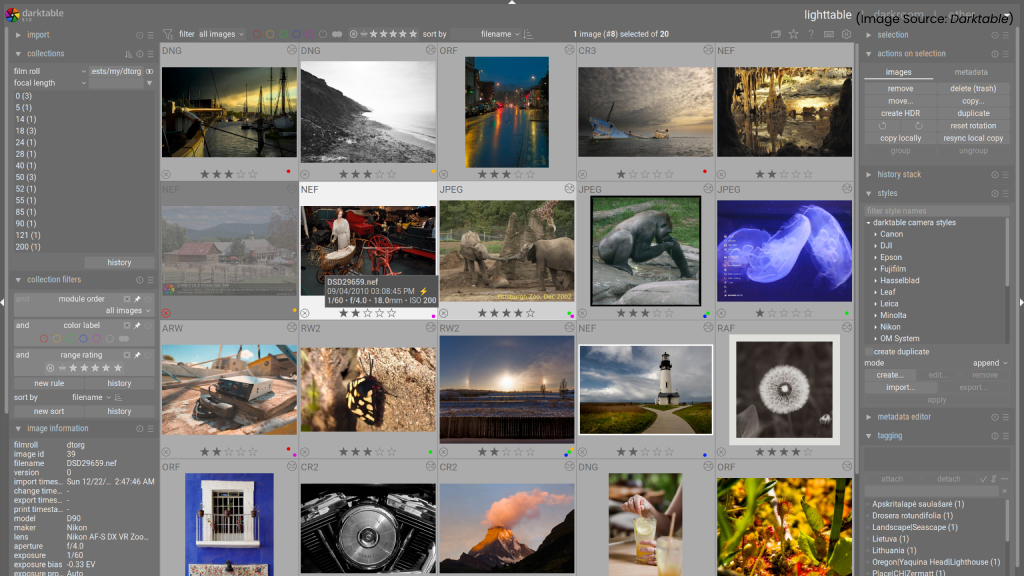
Darktable is a powerful open-source photography workflow app for macOS, built as a capable alternative to Adobe Lightroom. It excels at non-destructive editing, RAW photo processing, advanced color correction, and detailed photo management. For Mac users who moved away from subscription-based software, Darktable offers professional-grade results without ongoing costs. While installation may require allowing the app through macOS security settings and the interface has a learning curve, the depth of control it provides is impressive.
Many tools use technical naming, but once mastered, they unlock highly precise edits. Optimized for modern Macs with GPU acceleration and frequent community updates, Darktable delivers performance and quality on par with commercial editors. It continues to prove that open-source software can meet the demands of serious photographers on macOS.
8. Ente Auth
(Image Source: Ente Auth)
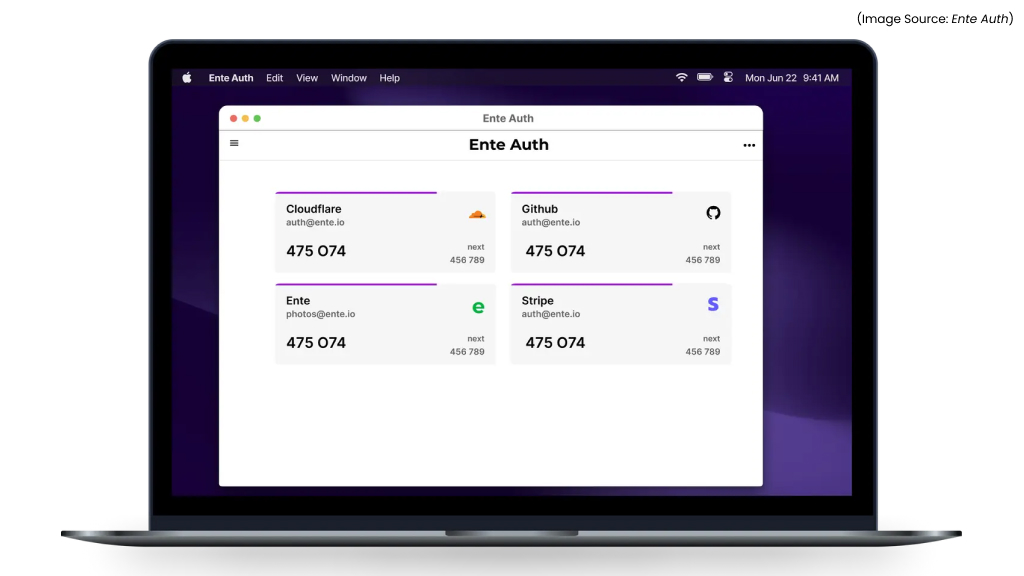
Ente Auth is a privacy-focused, open-source two-factor authentication app that works seamlessly on macOS. Designed for users who value transparency and security, it uses strong end-to-end encryption to protect authentication codes while keeping the interface clean and easy to use. Managing multiple 2FA accounts on a Mac feels straightforward, with quick access and clear organization.
One of Ente Auth’s biggest strengths is its cross-platform support, allowing secure syncing across devices without compromising privacy. Switching from other authentication apps is also simple, thanks to easy import options for existing codes. As online security becomes even more essential, Ente Auth stands out as a reliable alternative to proprietary 2FA tools. For Mac users who want strong security, open-source trust, and a polished experience, Ente Auth delivers exactly what it promises.
9. Bitwarden
(Image Source: Bitwarden)
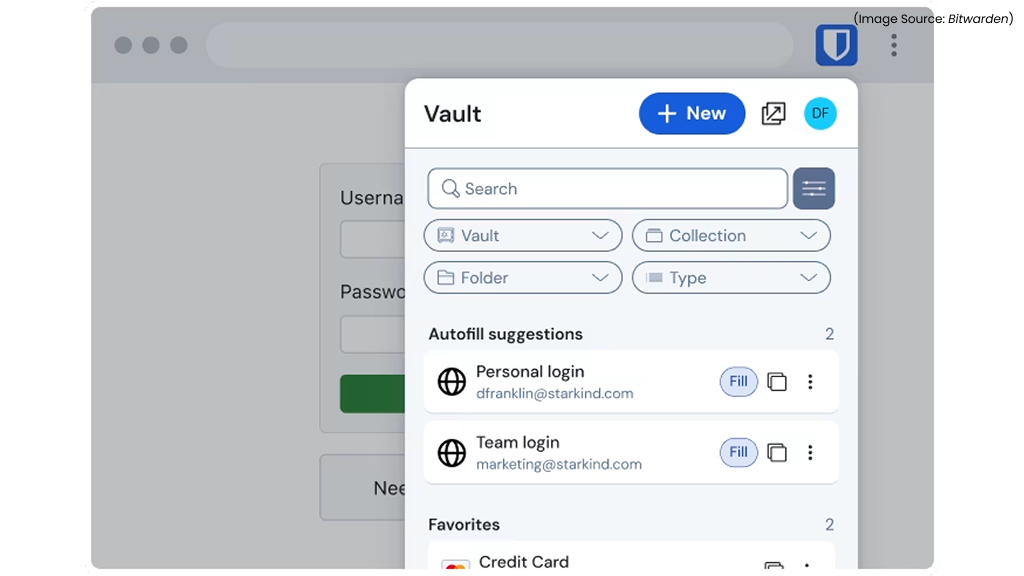
Bitwarden is a robust open-source password manager that fits naturally into macOS workflows while offering more flexibility than Apple’s built-in password tools. It securely stores passwords, passkeys, secure notes, and files using strong, audited encryption. Although its interface is more functional than flashy, the macOS app integrates smoothly with browsers and system features, making everyday credential management effortless.
Bitwarden stands out for its advanced options, such as custom fields, the ability to lock specific entries, and secure note sharing. It also works seamlessly across platforms, which is ideal for Mac users who rely on multiple devices. The free plan covers most needs, while the low-cost premium tier adds exceptional value. Bitwarden remains a trusted, feature-rich, and future-ready password manager for macOS users.
10. HandBrake

(Image Source: HandBrake)
HandBrake is a long-standing open-source video transcoder that remains a go-to tool for Mac users working with video. It handles virtually any video format and allows you to change containers, codecs, resolution, and frame rates with ease. Whether you’re compressing large files, optimizing videos for specific devices, or preparing content for streaming, HandBrake offers reliable presets for beginners alongside deep customization for advanced users.
Features like subtitle support, chapter creation, and fine-grained encoding controls make it especially versatile. On modern Apple Silicon Macs, HandBrake delivers excellent performance and faster processing thanks to hardware optimization. HandBrake continues to prove its value as a free, transparent, and powerful video conversion solution that every macOS user can rely on.
11. IINA
(Image Source: IINA)
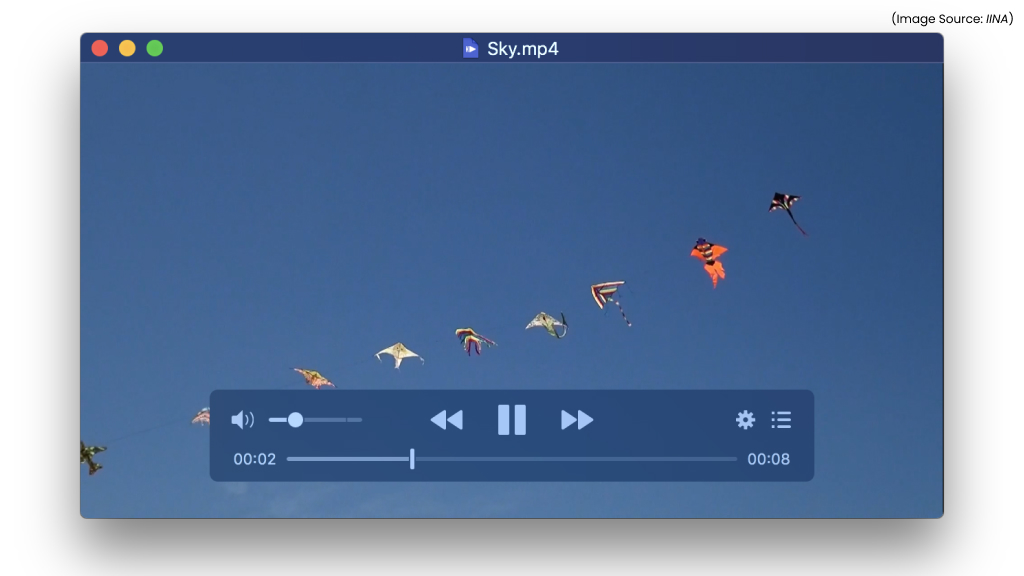
IINA is a modern open-source media player designed specifically for macOS, and it feels right at home in Apple’s ecosystem. Unlike many cross-platform players, IINA fully embraces macOS design principles, making it a more natural and enjoyable alternative to older options like VLC. It supports almost every video and audio format, ensuring smooth playback without extra codecs. The interface makes managing subtitles, playlists, and playback settings effortless, while gesture controls and Picture-in-Picture enhance everyday viewing.
IINA also integrates neatly with macOS features such as keyboard shortcuts and Touch Bar support. On Apple Silicon Macs, performance is especially impressive, with fast startup times and smooth rendering. IINA remains a favorite for Mac users who want a powerful, ad-free, and privacy-friendly media player that looks and feels truly native.
12. KeePassXC
(Image Source: KeePassXC)
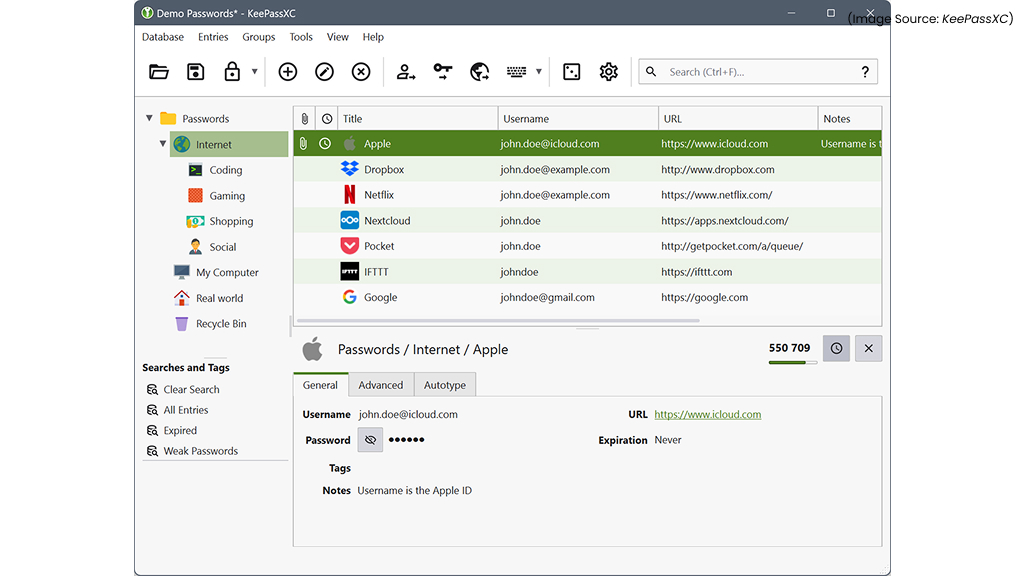
KeePassXC is a secure, offline-first open-source password manager designed for users who prefer full control over their data. It stores credentials in encrypted local databases, eliminating reliance on cloud services. The macOS app supports browser integration, password generation, and TOTP-based two-factor authentication. Its cross-platform compatibility ensures seamless access across devices.
While its interface is more utilitarian, KeePassXC’s transparency and security make it a powerful choice for users who value independence and robust encryption over convenience.
13. LocalSend
(Image Source: LocalSend)
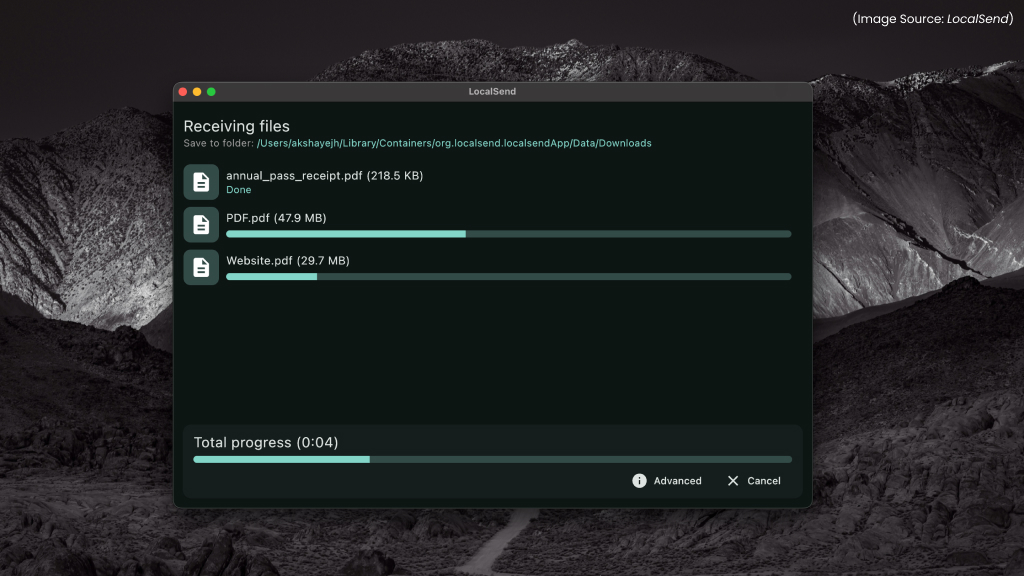
LocalSend is a simple yet powerful open-source file-sharing app that works seamlessly on macOS. It allows Mac users to transfer files, text, and links quickly over a local network without relying on internet access or cloud services. Setup is effortless, install the app, connect devices to the same Wi-Fi network, and start sharing.
LocalSend uses end-to-end encryption, ensuring that transfers remain private and secure. While macOS includes built-in sharing options, LocalSend is especially useful for Mac users who also work with non-Apple devices and want a consistent, platform-agnostic solution. Fast, stable, and free, it removes file size limits and avoids account sign-ins. LocalSend stands out as a reliable and privacy-friendly alternative for local file sharing on macOS.
14. UTM
(Image Source: UTM)
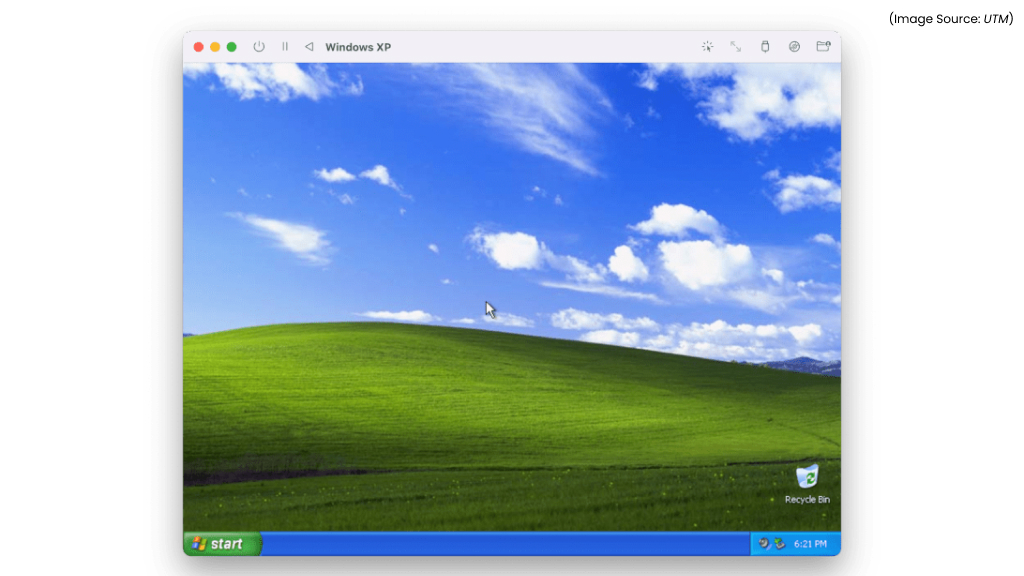
UTM is a lightweight, open-source virtualization and emulation tool built specifically for macOS, making it easy to run other operating systems on a Mac. Based on QEMU, it supports Windows, Linux, and even additional macOS instances, including on Apple Silicon Macs. UTM performs reliably even on machines with limited memory and allows virtual machines to be stored on external drives to save internal storage.
UTM’s clean, beginner-friendly interface removes much of the complexity typically associated with virtual machines, even assisting with operating system downloads. While it avoids unnecessary advanced features, this simplicity is part of its appeal, keeping setup and usage straightforward. UTM remains a strong free alternative to paid virtualization tools, offering Mac users a flexible and future-ready way to work across platforms.
15. Rectangle
(Image Source: Rectangle)
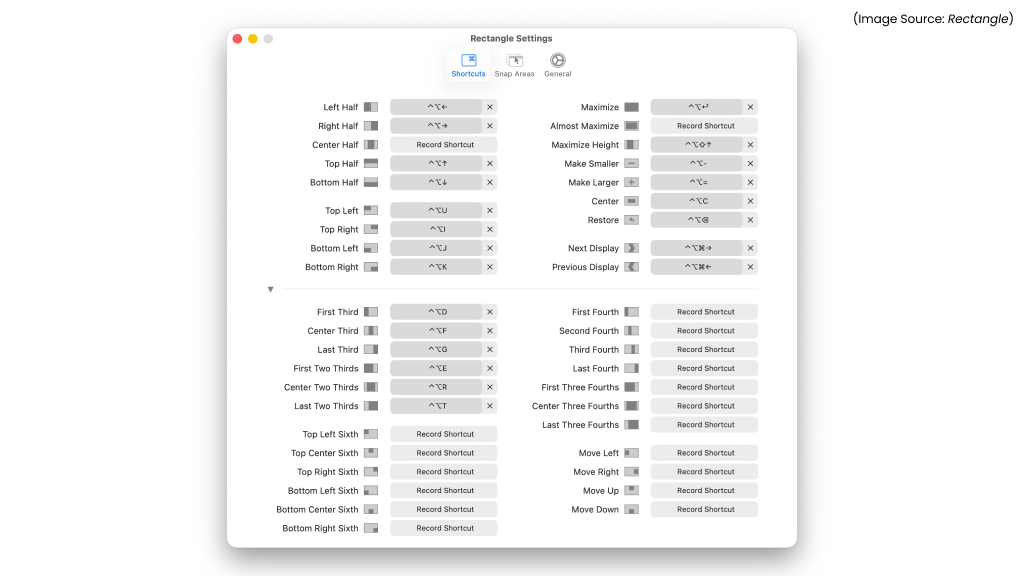
Rectangle is a lightweight open-source window management app that significantly improves multitasking on macOS. It lets Mac users snap and resize windows quickly using intuitive keyboard shortcuts or simple drag gestures. Inspired by familiar window snapping behavior, Rectangle makes organizing apps on large or multiple displays effortless, especially helpful for users transitioning to macOS.
Rectangle offers extensive customization while remaining fast, stable, and unobtrusive. With an active developer community and regular updates, it continues to evolve without sacrificing performance or macOS’s native look and feel. The app remains an essential productivity tool for professionals who want cleaner workspaces, faster navigation, and more control over window layouts on their Mac.
16. Unarchiver

(Image Source: Unarchiver)
The Unarchiver is a lightweight open-source utility that greatly expands macOS’s ability to handle compressed files. While the built-in Archive Utility supports only a limited set of formats, The Unarchiver can open almost anything, including ZIP, RAR, TAR, and many older archive types. It integrates seamlessly with Finder, allowing files to be extracted with a simple double-click and no extra setup.
Fast, reliable, and completely free, it’s ideal for Mac users who regularly download or share compressed files. The Unarchiver remains an essential macOS tool, offering broader format support and better reliability than Apple’s default solution.
17. Luminance HDR
(Image Source: Luminance HDR)
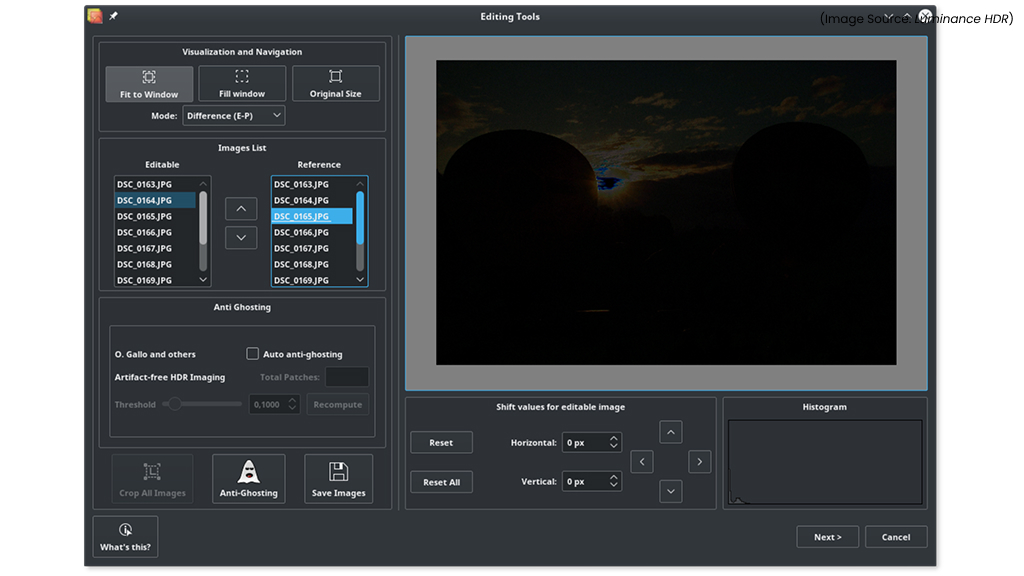
Luminance HDR is an open-source tool designed for creating and editing high dynamic range (HDR) images. It allows photographers to merge multiple exposures into detailed, realistic photos with enhanced lighting and contrast. By 2026, as HDR displays become more common, Luminance HDR remains a valuable creative tool for Mac users.
Luminance HDR supports advanced tone mapping algorithms and RAW file formats, offering fine-grained control over visual output. While its interface is more technical, it rewards users with powerful results. For photographers exploring HDR workflows without expensive software, Luminance HDR is an excellent choice.
18. Itsycal

(Image Source: Itsycal)
Itsycal is a lightweight open-source calendar app in the macOS menu bar. It provides a quick overview of upcoming events without opening the full Calendar app. Itsycal remains popular for its simplicity and efficiency. Users can view weeks, jump between months, and sync with macOS calendars seamlessly.
Customizable date formats and keyboard shortcuts enhance usability. For users who prefer minimal distractions and instant access to schedules, Itsycal is a perfect companion. It delivers just the right amount of functionality without cluttering the desktop.
19. Gifski GUI

(Image Source: Gifski GUI)
Gifski GUI is a user-friendly open-source tool for creating high-quality GIFs from videos. It uses advanced compression techniques to maintain excellent visual quality while keeping file sizes small. Gifski GUI is a favorite among designers, marketers, and content creators. The simple drag-and-drop interface makes GIF creation fast and intuitive, even for beginners.
Unlike many online tools, it processes files locally, ensuring privacy and speed. For anyone who frequently shares animations or demos, Gifski GUI offers a reliable and polished open-source solution.
20. Double Commander
(Image Source: macupdate)
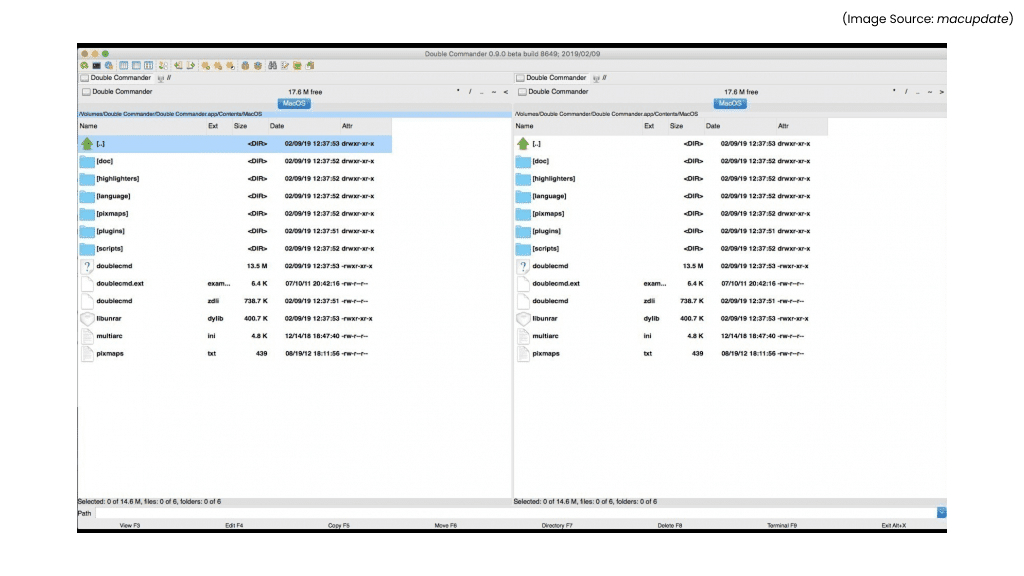
Double Commander is a powerful open-source file manager inspired by classic dual-pane tools like Total Commander. It provides advanced file operations, including batch renaming, directory syncing, and built-in archive handling. Double Commander remains a strong alternative to Finder for power users who need efficiency and control.
Its customizable interface and extensive keyboard shortcuts make complex file management tasks faster. Cross-platform support ensures consistency across systems. While it has a learning curve, Double Commander rewards users with unmatched flexibility, making it ideal for developers, system administrators, and advanced Mac users.