



Open-source software continues to gain momentum in 2026, offering Windows users powerful alternatives to expensive and restrictive proprietary apps. From productivity tools and creative software to privacy-focused utilities and developer-friendly platforms, open-source apps combine transparency, flexibility, and community-driven innovation. These tools not only reduce costs but also give users greater control over their data and workflows.
As Windows evolves, many open-source projects are keeping pace with modern UI standards, performance improvements, and AI-assisted features. Below are the best open-source apps for Windows users in 2026 that deliver reliability, security, and feature-rich experiences, without locking you into subscriptions.
1. Clavier+
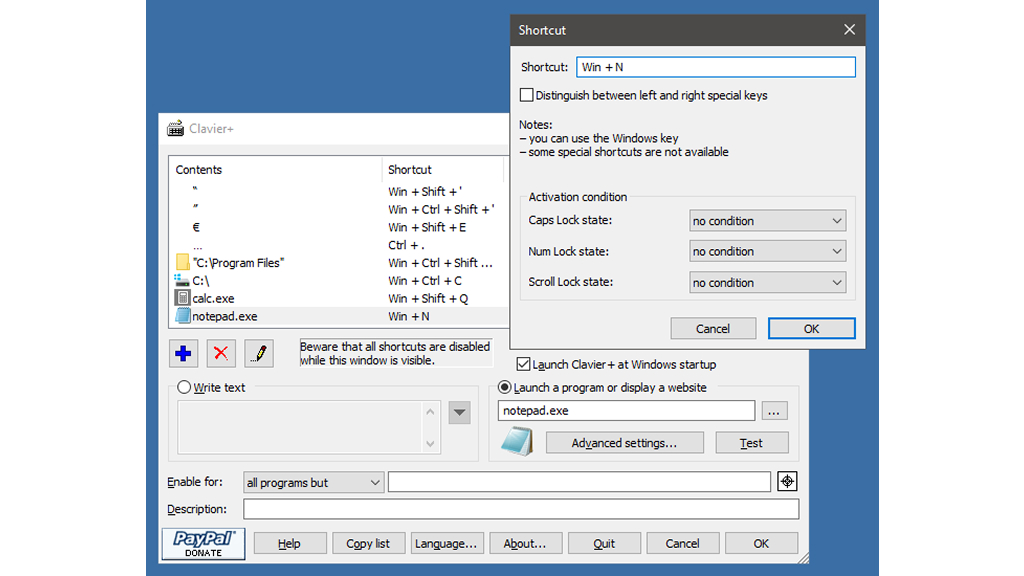
Clavier+ is a lightweight, open-source Windows utility that helps users create custom keyboard shortcuts for a wide range of actions. It allows you to launch frequently used applications, open folders, insert special characters, write preset text, or even open websites using simple key combinations. By reducing reliance on mouse clicks and menus, Clavier+ can significantly speed up everyday tasks and improve overall workflow efficiency.
Its clean, straightforward interface makes shortcut creation easy, even for beginners, while still offering enough flexibility for power users. Creating a shortcut is simple, just choose the action, enter the required details, and assign a preferred key combination. Shortcuts can be edited or removed at any time as needs change. For users who prefer keyboard-driven navigation and a more personalized Windows experience, Clavier+ delivers powerful functionality without unnecessary background processes or privacy concerns.
2. Flow Launcher
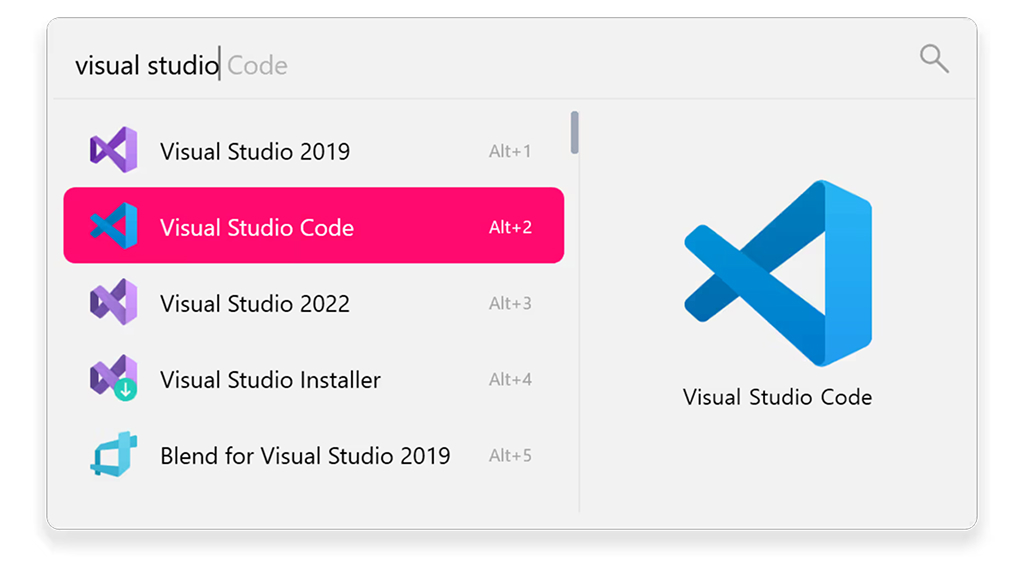
Flow Launcher is a sleek, open-source productivity launcher built to streamline how Windows users search and access apps, files, and commands. Activated through a customizable keyboard shortcut, it lets users instantly open applications, locate files, run system commands, or perform web searches without relying on the Start menu.
Designed for speed and efficiency, Flow Launcher integrates smoothly with Windows and supports a rich plugin ecosystem for features such as calculations, clipboard history, and workflow automation. Users can personalize the experience with themes, animations, and sound effects, or even create their own custom extensions.
Backed by an active community, Flow Launcher is an excellent choice for users who prefer keyboard-driven navigation, minimal visual clutter, and a faster, more flexible way to interact with their Windows system.
3. YASB (Yet Another Status Bar, also known as YASB Reborn)
YASB is an open-source status bar for Windows that brings real-time system information directly to the desktop in a clean, minimal layout. It displays key metrics such as CPU and memory usage, network activity, battery status, and more, helping users monitor their system at a glance. Designed for power users and minimalists, YASB supports modular widgets, customizable themes, and flexible layouts.
Often compared to macOS or Linux-style top bars, it offers a polished visual experience without heavy resource usage. Users can add widgets for weather, internet speed, and system controls, as well as quick access options for shutdown or restart. YASB remains a popular choice for Windows users who want both functionality and aesthetics in a lightweight system monitoring tool.
4. AutoHotkey
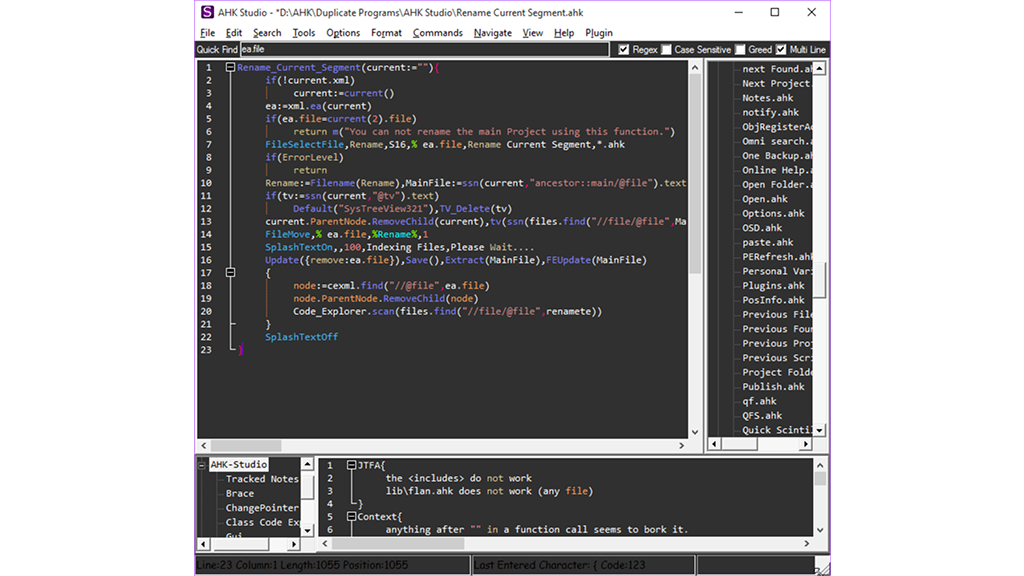
AutoHotkey remains one of the most powerful open-source automation tools for Windows in 2026. It enables users to create scripts for automating repetitive tasks, remapping keys, controlling windows, and building macros. From simple shortcuts to complex workflows, AutoHotkey adapts to nearly any use case. Developers, writers, and IT professionals rely on it to save hours of manual work. Its flexibility, active community, and continued updates make AutoHotkey a must-have tool for advanced Windows customization.
5. Ollama

Ollama is an open-source platform that enables Windows users to run large language models directly on their local machines. By eliminating the need for cloud-based services, it offers greater privacy, offline access, and full control over AI interactions. Popular among developers, researchers, and AI enthusiasts, Ollama makes it easy to download, manage, and experiment with a wide range of AI models using simple commands or a user-friendly graphical interface.
Users can choose from lightweight models for quick tasks or larger models for more advanced use cases. It’s important to note that more powerful models require significant system resources, and performance is best on Windows PCs equipped with dedicated GPUs. For anyone seeking private, hands-on experimentation with generative AI, Ollama is a practical and flexible solution.
6. Sumatra PDF

Sumatra PDF is a lightweight, open-source document viewer built for Windows users who value speed and simplicity. It supports a wide range of formats, including PDF, EPUB, MOBI, XPS, and CHM, making it a versatile choice for reading documents and eBooks.
Designed to launch almost instantly, Sumatra PDF runs smoothly even on older or low-resource systems, offering a clean and distraction-free experience without ads or unnecessary features. Despite its minimal footprint, Sumatra PDF includes useful tools for everyday reading and review. Users can search within documents, highlight and underline text, add annotations, stamps, or comments, and receive reminders to save unsaved notes.
Multiple viewing options, such as single-page, double-page, or fit-to-window, allow flexible reading layouts. Pages can be rotated, zoomed, printed, and bookmarked as favorites. For users who want a fast, efficient, and no-nonsense document reader, Sumatra PDF remains an excellent choice.
7. Syncthing
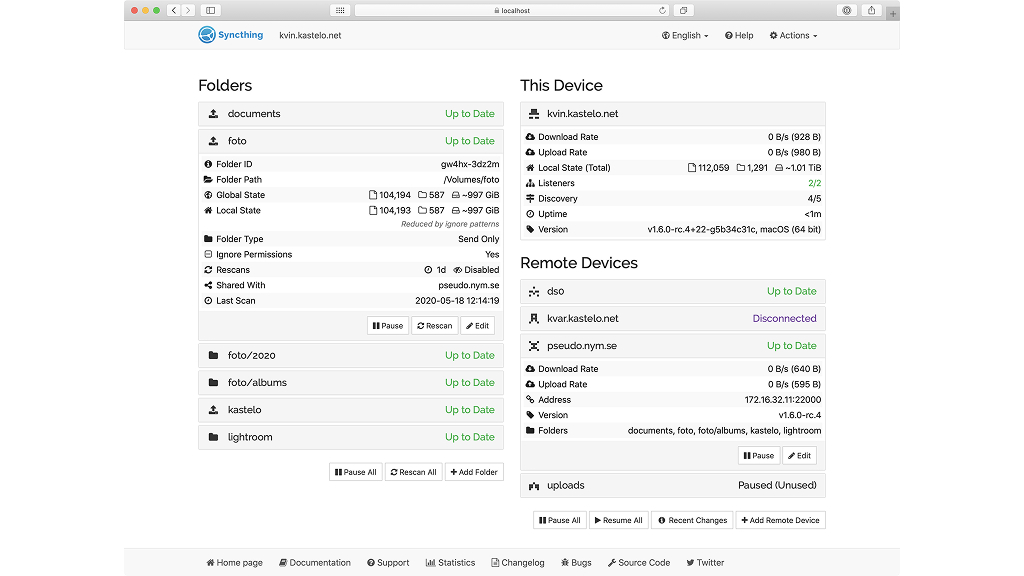
Syncthing is an open-source file synchronization tool that enables Windows users to keep files updated across multiple devices without relying on centralized cloud services. It transfers data directly between devices using end-to-end encryption, ensuring privacy and security. Users can choose exactly which folders to sync and control where data is stored, making it ideal for personal documents, photos, and backups.
Syncthing runs quietly in the background and updates files in real time as changes are made. Users who want full ownership of their data, reliable performance, and a decentralized alternative to traditional cloud-based syncing solutions find Syncthing useful.
8. Notesnook
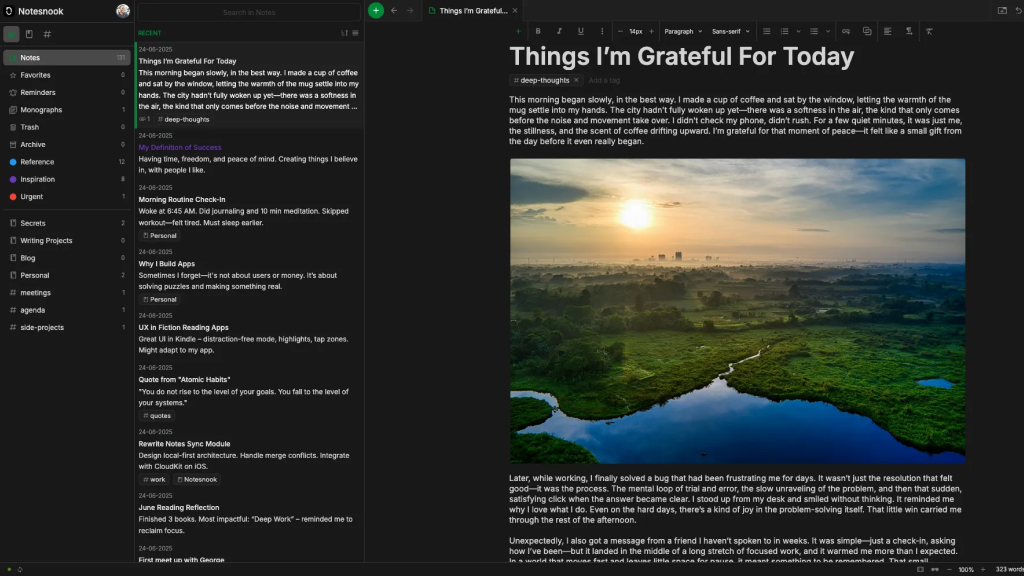
Notesnook is an open-source, privacy-focused note-taking app for Windows that allows users to create, organize, and securely store notes across devices. With end-to-end encryption, all data remains private and inaccessible to third parties, making it ideal for sensitive personal or professional information.
Notesnook supports rich text formatting, markdown, notebooks, and tagging, helping users keep their notes well-organized. Cross-device syncing ensures that your notes are accessible wherever you are, while the clean and distraction-free interface enhances focus. It remains a trusted choice for users who want a secure, feature-rich alternative to mainstream note-taking apps without compromising privacy.
9. Super Productivity
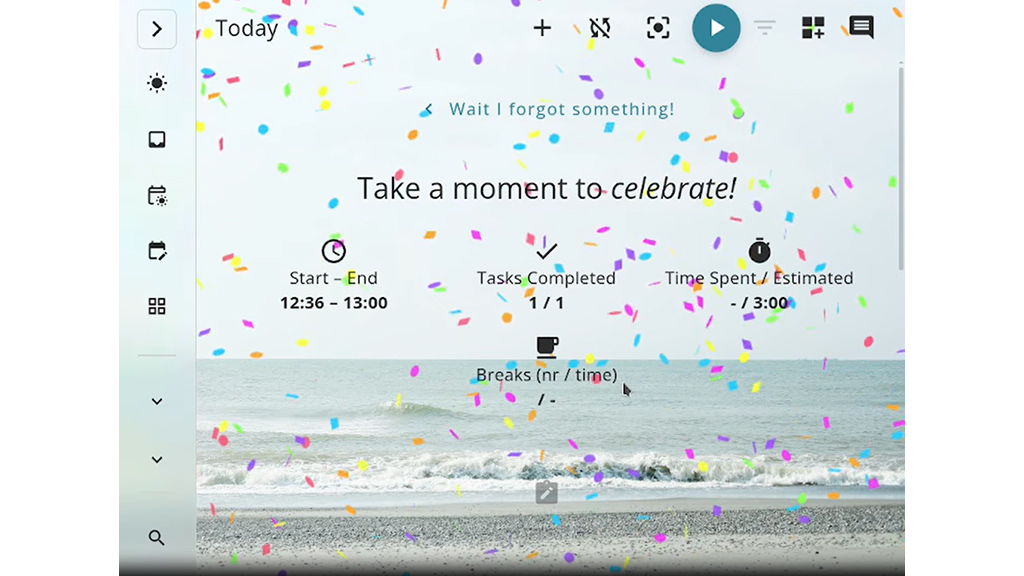
Super Productivity is an open-source task management and time-tracking app built for productivity enthusiasts. It combines to-do lists, Pomodoro timers, and project tracking into a single interface. Designed with developers and freelancers in mind, it integrates well with tools like Jira and GitHub.
Super Productivity is ideal for Windows users who want a structured way to manage tasks, reduce distractions, and gain insights into how they spend their working hours.
10. Stirling PDF
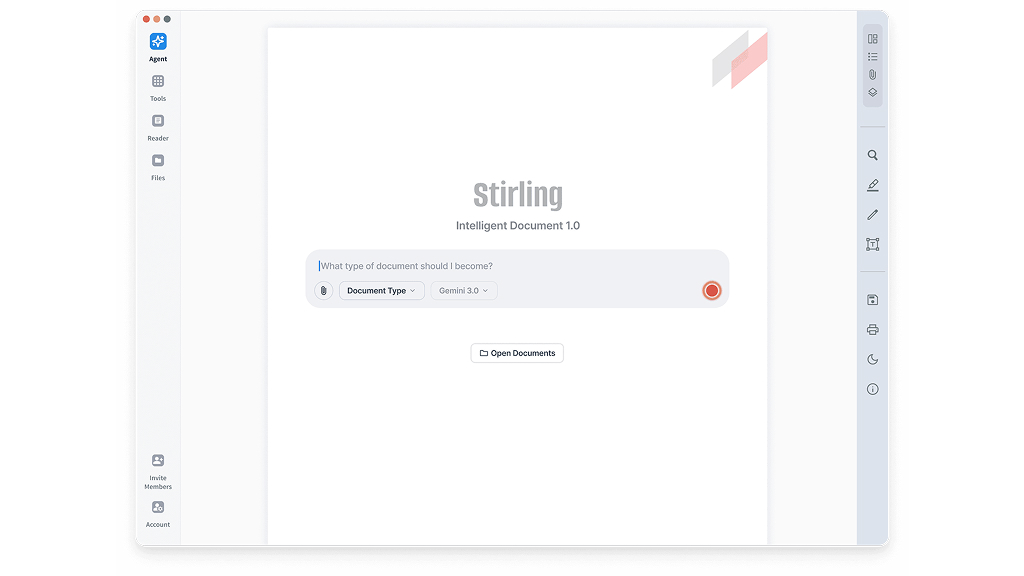
Stirling PDF is a versatile, open-source PDF toolkit designed for Windows that provides a complete set of tools for managing PDF files locally. Users can merge, split, compress, convert, and edit PDFs without ever uploading sensitive documents to the cloud, making it ideal for privacy-conscious individuals and professionals alike. With a browser-based interface or the option to self-host, Stirling PDF offers flexibility while maintaining full control over your files.
Whether you need to combine multiple reports, extract specific pages, compress large files for email, or convert Word documents into secure PDFs, Stirling PDF handles it efficiently. It also includes OCR functionality to make scanned documents searchable, simplifying workflow for older files.
By offering all essential PDF tools in one place, Stirling PDF eliminates the frustration, cost, and privacy risks associated with many paid or ad-supported alternatives, making it an indispensable solution for daily document management on Windows.
11. RustDesk

RustDesk is a secure, open-source remote desktop solution built as a privacy-friendly alternative to proprietary remote access tools. It enables Windows users to connect to and control other devices remotely using fully encrypted sessions, with the added flexibility of self-hosting for complete data ownership. Popular among IT professionals, support teams, and remote workers, RustDesk delivers reliable performance without vendor lock-in.
The setup process is straightforward, and its cross-platform compatibility ensures smooth connections across different operating systems. Core features include real-time chat during sessions, seamless clipboard sharing, and easy file transfers. Even when using public servers, RustDesk provides stable, low-latency performance. With its focus on security, transparency, and ease of use, RustDesk is a dependable choice for secure remote access and collaboration.
12. Windscribe

Windscribe is a privacy-focused VPN service that offers open-source Windows clients and a strong emphasis on transparency and user control. It encrypts internet traffic to protect users on public Wi-Fi networks and helps prevent tracking through built-in features like ad blocking, tracker blocking, and firewall protection. Windscribe supports multiple server locations and allows users to customize connection settings based on their needs.
Windscribe is a popular choice for Windows users who want a balance between ease of use and advanced privacy tools. With both free and paid plans available, Windscribe is suitable for casual browsing as well as more privacy-conscious users.
13. Proton VPN
Proton VPN is a privacy-focused VPN service with open-source Windows applications designed to protect users’ online activity. Developed by the team behind Proton Mail, it uses strong encryption and follows a strict no-logs policy to ensure user data remains private. Proton VPN offers features such as Secure Core routing, which directs traffic through multiple privacy-friendly servers, and a kill switch to prevent data leaks if the connection drops.
Proton VPN remains a trusted choice for Windows users who value transparency, as its open-source apps can be independently audited. With both free and paid plans available, Proton VPN delivers reliable security without compromising performance.
14. Launchy

Launchy is a lightweight, open-source application launcher designed to help Windows users open programs, files, and folders quickly using keyboard commands. Instead of navigating through menus or the Start button, users can activate Launchy with a customizable hotkey and begin typing what they’re looking for. The app instantly indexes commonly used locations, making searches fast and efficient even on older systems.
Launchy also supports plugins, allowing users to extend its functionality with features such as calculations, web searches, and custom commands. Launchy is a reliable choice for users who value simplicity, speed, and minimal system impact while streamlining everyday navigation on Windows.
15. LibreOffice
LibreOffice is a comprehensive open-source office suite for Windows that serves as a powerful alternative to Microsoft Word, Excel, and PowerPoint. It includes a full set of productivity tools such as Writer for documents, Calc for spreadsheets, Impress for presentations, and even a database component similar to Microsoft Access. LibreOffice continues to improve compatibility with Microsoft Office file formats while offering reliable offline functionality, making it suitable for both personal and professional use.
The interface is highly customizable, allowing users to choose between a modern layout or a more traditional design based on their preferences. Since LibreOffice is installed locally, documents remain on your system, eliminating concerns about third-party cloud access or data tracking. Users can also configure the suite to save files in Microsoft Office formats by default, ensuring smooth collaboration with others. Free to download and use on Windows, LibreOffice delivers professional-grade features without subscription fees.
16. Duplicati
Duplicati is a secure, open-source backup solution designed for Windows users who want automated and encrypted data protection. It enables users to schedule backups to a wide range of destinations, including local storage, network devices, and popular cloud services such as Google Cloud, Amazon Web Services, Azure, and Dropbox. Built around a zero-trust model, Duplicati ensures that all backup data is fully encrypted before leaving your system.
Duplicati supports incremental backups, compression, and versioning, helping save storage space while maintaining reliable restore points. The setup process is straightforward, and backups can be monitored and managed remotely through a clean, web-based dashboard. With its focus on automation, security, and flexibility, Duplicati is ideal for users who want complete control over their backup strategy and protection against data loss or ransomware.
17. PeaZip
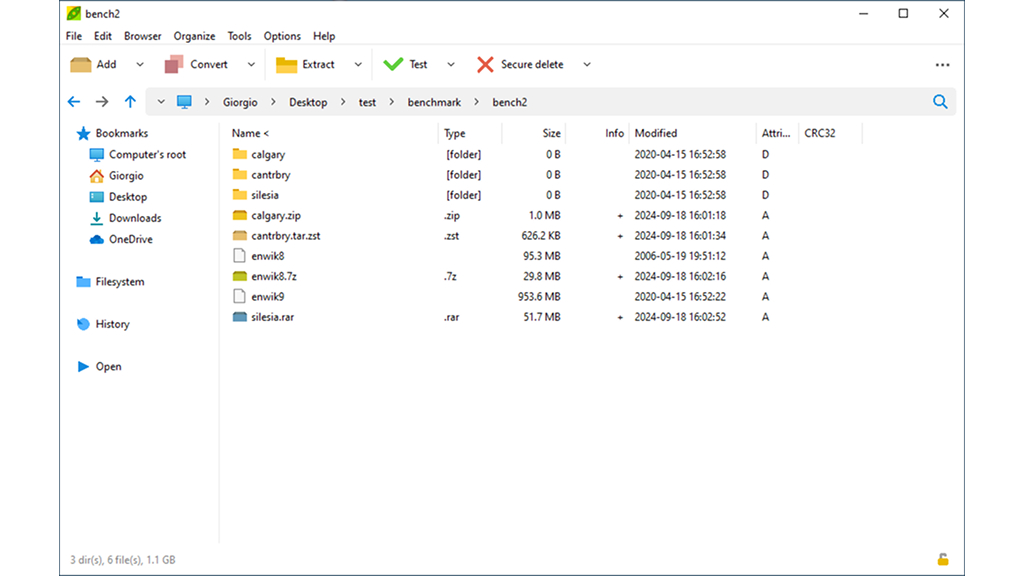
PeaZip is a versatile open-source archive manager that allows users to create, extract, and manage compressed files with ease. It supports common formats such as ZIP, 7Z, and TAR, along with less common options like Brotli, GZip, and UPX. The app can split large archives into smaller volumes when needed and lets users update existing archives without starting from scratch.
For added security, archives can be password-protected and shared via email. Advanced settings allow fine-tuning of compression levels, while the scheduling feature enables automatic archive creation at specific times, making PeaZip a powerful yet flexible file management tool.
18. Franz
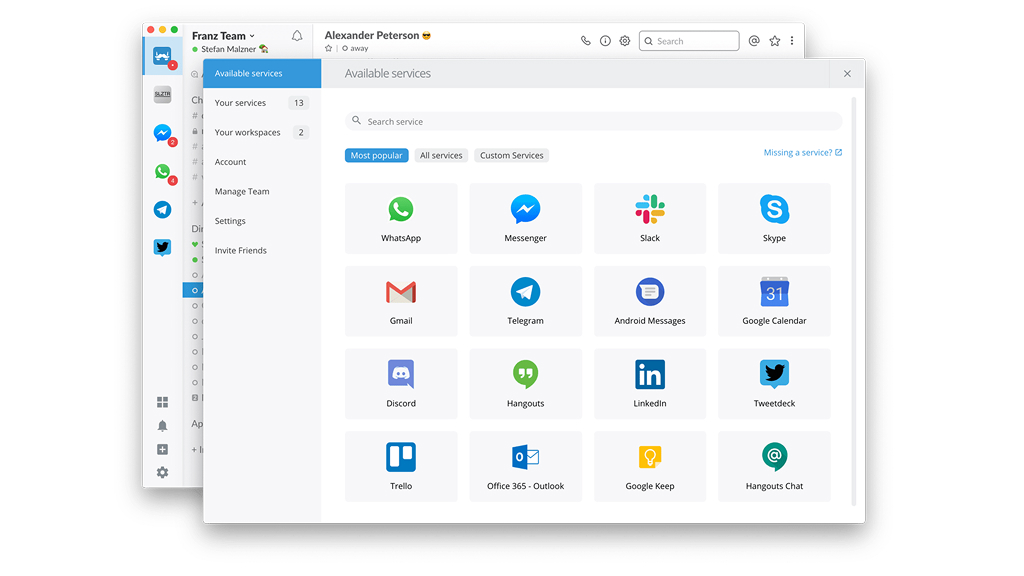
Franz is an open-source messaging aggregator that combines multiple chat and collaboration services into a single desktop application for Windows. It supports popular platforms such as WhatsApp, Slack, Discord, Telegram, and more, allowing users to manage all conversations from one unified interface. By centralizing communication tools, Franz helps reduce desktop clutter and minimizes the need to constantly switch between apps, improving focus and productivity.
Designed for professionals and multitaskers, Franz lets users add multiple services and accounts without limits, making it easy to handle work and personal conversations side by side. Switching between platforms is seamless within the same interface, and its open-source foundation ensures transparency, flexibility, and customization. For users who rely on several messaging tools daily, Franz offers a simple and efficient way to stay organized and connected.
19. Borg Calendar
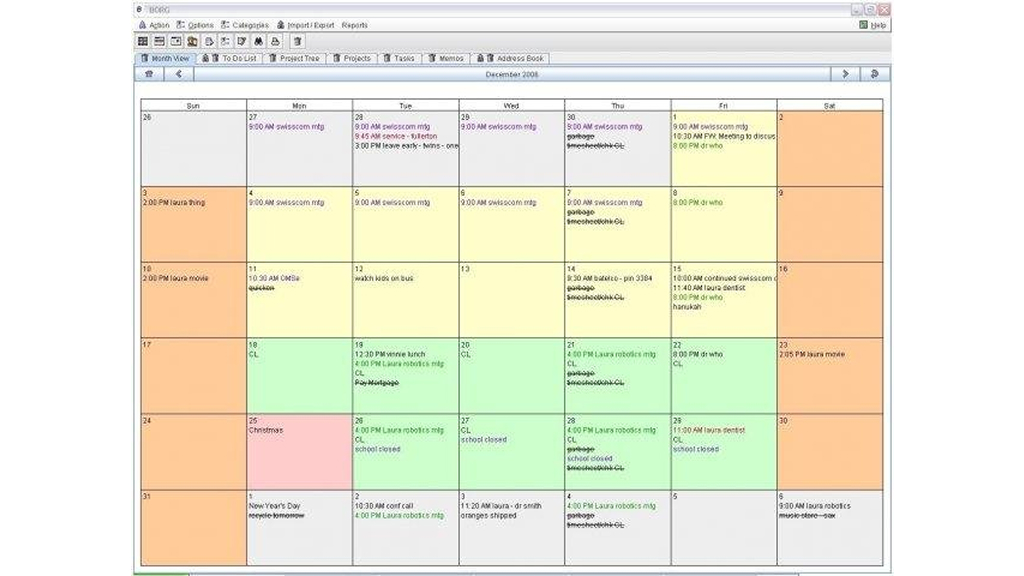
Borg Calendar is a privacy-focused, open-source calendar application designed for Windows users who prefer an offline-first approach to schedule management. It allows users to create and manage events, appointments, and reminders locally, without relying on cloud-based services. This makes Borg Calendar a strong alternative for those who are uncomfortable sharing personal schedules and contacts with large platforms like Microsoft or Google. Its clean, minimal interface keeps distractions to a minimum while ensuring essential calendar functions remain easily accessible.
The app supports multiple viewing modes, including yearly, monthly, weekly, and daily layouts, each displayed in its own tab for convenient navigation. Users can close unnecessary tabs to keep the interface clutter-free. U.S. public holidays are enabled by default but can be customized in the settings.
Borg Calendar also supports synchronization with Google Calendar and popular formats such as vCard, ICS, and CalDAV, along with XML import and export options. In addition to calendar features, it includes a built-in address book for securely storing contact information.
20. Calibre
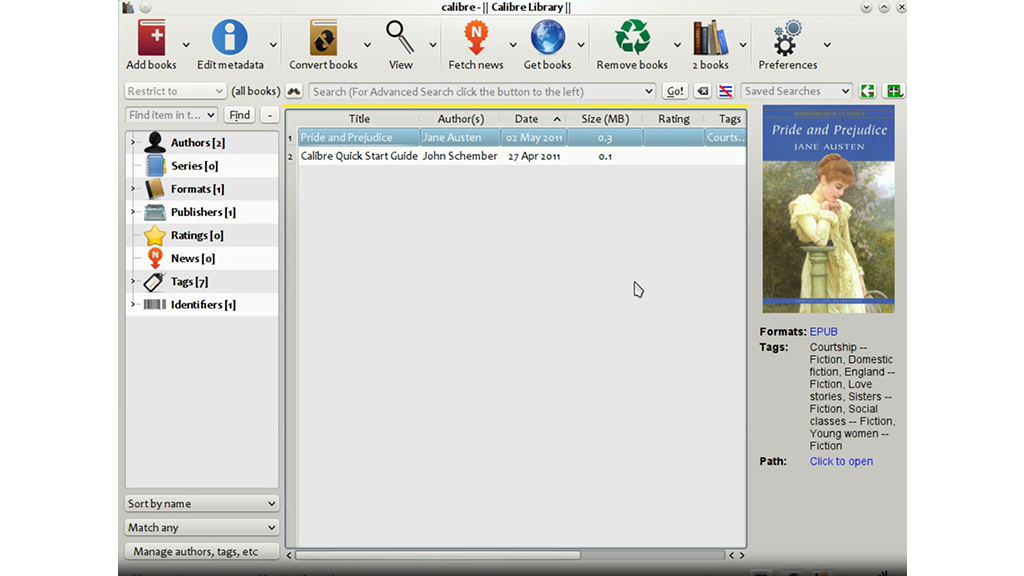
Calibre is a robust open-source eBook management application designed for Windows users who want complete control over their digital reading collection. It acts as a central library where users can organize, edit, convert, and sync eBooks across multiple devices. With support for a wide range of file formats, Calibre is especially useful for readers managing large and diverse eBook libraries. Its active development community, extensive plugin ecosystem, and fully offline functionality have helped it maintain its position as a leading eBook management tool.
Users can select their preferred eBook store, such as Amazon, Apple, or Kobo, and then choose their reading device. If a specific device isn’t listed, the Generic option allows setup for smartphones or tablets as well. Kindle users can optionally add their device email during configuration.
Once set up, Calibre enables users to import and index eBooks, convert formats, discover free titles, organize books into series, and apply ratings. Note that most Kindle books include DRM protection, which can limit compatibility.