



The internet today is more personalized than ever, but that convenience often comes at the cost of your privacy. From ads that seem to follow you across websites to trackers quietly collecting data about your browsing habits, the modern web is built around monitoring user behavior. While some level of data collection can improve online experiences, it often becomes intrusive, slowing down pages, cluttering content, and exposing you to risks like malicious ads, phishing attempts, and data profiling.
What many users don’t realize is how extensive this tracking can be. A single webpage can load dozens of third-party scripts designed to analyze your activity, build advertising profiles, and share information across platforms. Over time, this creates a detailed digital footprint, often without your clear consent or awareness.
Fortunately, you don’t have to accept this as the default experience. With the right set of browser extensions, you can take back control of your online activity. Ad blockers and privacy-focused tools help limit tracking, remove unwanted ads, and create a cleaner, faster, and more secure browsing environment.
Let’s explore the best ad blockers and privacy extensions you can use in 2026, along with practical tips to help you choose the right tools for your needs and browsing habits.
Why You Need Privacy Extensions

Every time you visit a website, dozens of hidden trackers may be collecting data about your behavior, location, device, and preferences. This information is often used to:
- Build detailed advertising profiles
- Serve targeted ads
- Share data with third parties
- Track you across multiple websites
Privacy extensions help put a stop to this. They act as a first line of defense by blocking trackers, limiting data collection, and removing intrusive ads that disrupt your experience. In addition to protecting your personal information, these tools can also improve browsing performance by reducing unnecessary scripts and speeding up page load times.
Ultimately, privacy extensions help create a safer, cleaner, and more controlled online experience, giving you greater confidence while navigating the web.
Top Ad Blockers and Tracker Blockers

When it comes to protecting your privacy online, ad and tracker blockers are the first tools you should consider. These extensions work in the background to filter out intrusive ads and stop tracking scripts before they can collect your data.
As a result, they not only make websites cleaner and less distracting but also improve page load speeds and reduce security risks. Starting with a reliable blocker lays the foundation for a safer and more private browsing experience.
1. uBlock Origin (The Most Powerful All-in-One Blocker)
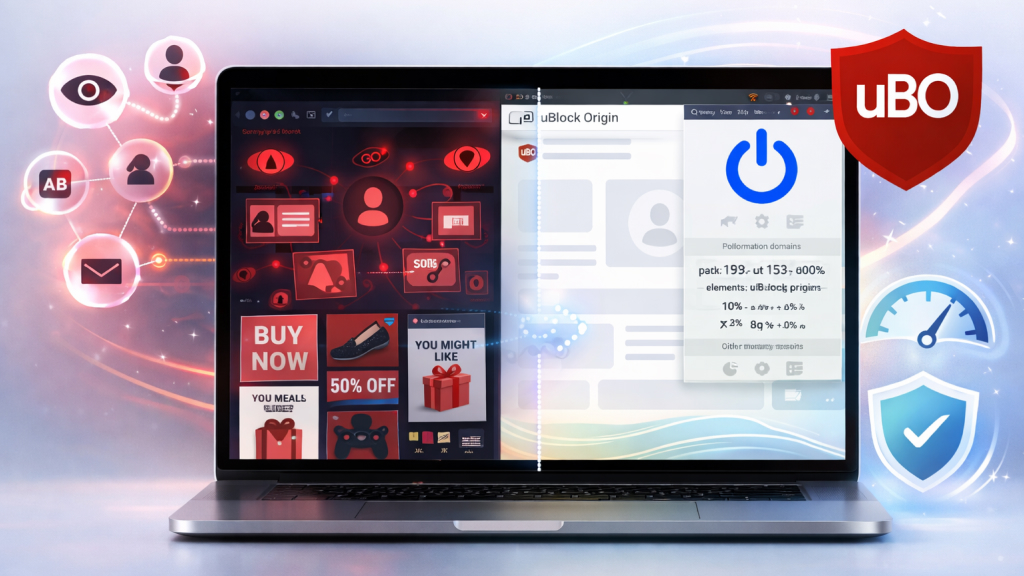
uBlock Origin stands out as one of the most reliable and efficient ad blockers available today. Designed as a wide-spectrum content blocker, it goes far beyond simply removing ads by targeting trackers, malicious scripts, and other unwanted elements that slow down your browsing experience.
Despite its powerful capabilities, it remains lightweight and easy to use, making it suitable for both beginners and advanced users. Whether you want a cleaner browsing experience or deeper control over what loads on a webpage, uBlock Origin delivers a strong balance of performance, privacy, and customization. Some of its key features are:
- Wide-Spectrum Blocking
uBlock Origin doesn’t just remove ads, it also blocks trackers, pop-ups, malicious scripts, and even resource-heavy elements like large media files and remote fonts that can slow down your browsing experience.
- Strong Privacy Protection
One of uBlock Origin’s biggest strengths is its privacy-first approach. It uses well-known filter lists such as EasyList and EasyPrivacy to prevent advertisers and third-party trackers from monitoring your activity across different websites.
- Lightweight Performance
Despite its powerful capabilities, uBlock Origin is remarkably lightweight and efficient. It consumes minimal CPU and memory compared to many other ad blockers, which helps improve page load speeds and overall browser performance. This makes it especially valuable for users who frequently browse content-heavy websites.
- No “Acceptable Ads” Policy
It does not participate in “acceptable ads” programs, meaning it doesn’t whitelist ads or allow paid exceptions. This makes it a trusted choice for users who want complete control over what loads on their screen.
- High Level of Customization
Another standout feature is its high level of customization. Advanced users can fine-tune their experience by adding custom filter lists, blocking specific scripts, or using built-in tools like the element picker to permanently hide unwanted page elements.
- Element Zapper Mode
The element zapper also allows temporary removal of distractions without affecting site functionality.
With all these advanced features, uBlock Origin works effectively straight out of the box with default settings. Its combination of transparency, performance, and deep customization makes it a top recommendation for anyone looking to enhance both privacy and browsing efficiency in 2026.
2. Privacy Badger (Smart Tracker Blocking)

Privacy Badger is a privacy-focused browser extension developed by the Electronic Frontier Foundation that takes a smarter, behavior-based approach to protecting your data online. Unlike traditional ad blockers that depend heavily on predefined filter lists, it automatically learns to identify and stop trackers based on how they operate across websites. This allows it to adapt to new and evolving tracking techniques without requiring constant updates or manual configuration.
Rather than focusing purely on blocking ads, Privacy Badger is designed to prevent unwanted data collection and improve transparency in how websites interact with your information. Since many ads rely on tracking technologies, it often reduces the number of ads you see as a natural side effect of its privacy-first approach.
Overall, Privacy Badger is built to offer a balance between automation and user control, making it a reliable choice for both casual users and those who want a more privacy-conscious browsing experience. Some of its key features are:
- Behavior-Based Tracker Blocking
Privacy Badger learns in real time by observing how domains behave across different websites. If a tracker appears to follow you without permission, it is automatically blocked or restricted.
- Privacy Signals Enabled
The extension uses Global Privacy Control (GPC) and Do Not Track (DNT) to inform websites that you don’t want your data collected. These signals request that your data not be collected or shared, reinforcing your privacy preferences.
- Ad Blocking via Tracking Prevention
Even though ad blocking isn’t its main purpose, it eliminates a large number of ads tied to tracking scripts. This results in a cleaner browsing experience without explicitly targeting ads.
- Link Tracking Protection
Privacy Badger removes tracking parameters from URLs, preventing companies from monitoring clicks and user journeys. This helps limit data collection even when navigating between sites.
- Click-to-Activate Content
Embedded elements like social media widgets or videos are replaced with placeholders. These only load when you choose to interact, ensuring no data is shared by default.
- Visual Control Sliders
The extension uses a simple red, yellow, and green slider system to show tracking levels. Users can manually adjust permissions for each domain based on their preferences.
- Lightweight and Open Source
Privacy Badger is transparent, efficient, and maintained by a trusted nonprofit organization. Its lightweight design helps maintain speed and stability while you browse.
Privacy Badger is ideal if you want a simple, intelligent tool that adapts to new tracking methods while keeping your browsing experience smooth and private.
3. Ghostery (Visibility and Control)

Ghostery is a feature-rich, open-source browser extension designed to enhance both privacy and browsing performance. It works by blocking ads, trackers, and intrusive pop-ups while also giving users clear insight into how their data is being collected online.
Unlike basic ad blockers that simply remove visible ads, Ghostery focuses on both protection and transparency, helping you understand what’s happening behind the scenes on every website you visit. This combination of control and visibility makes it a popular choice for users who want more than just a cleaner browsing experience. Some of its key features are:
- Advanced Ad Blocking
Ghostery effectively removes a wide range of ads, including banners, pop-ups, and video ads. This helps create a less cluttered browsing experience while also reducing distractions and interruptions.
- AI-Powered Tracker Blocking
The extension uses intelligent detection to identify and block third-party tracking scripts. By stopping these scripts before they load, Ghostery helps protect your personal data and limits cross-site tracking.
- WhoTracks.Me Integration
Ghostery relies on the WhoTracks.Me database to identify known trackers across the web. This ensures accurate detection and keeps the extension updated with the latest tracking technologies.
- “Never-Consent” Technology
It automatically manages or removes cookie consent pop-ups that appear on many websites. This saves time and eliminates the need to repeatedly interact with these prompts.
- Tracker Visibility Panel
Ghostery provides a detailed view of all trackers detected on a webpage. This allows users to understand which companies are collecting data and how frequently they appear.
- Improved Speed and Performance
By blocking unnecessary scripts and elements, Ghostery helps web pages load faster. This also reduces data usage and improves overall browsing efficiency.
- Custom Whitelisting
Users can choose to allow ads or trackers on specific trusted websites. This flexibility makes it easy to support content creators while maintaining control over privacy.
Ghostery is ideal for users who want a balance between strong ad blocking, enhanced privacy, and full visibility into how websites track their activity.
4. AdGuard AdBlocker (Balanced Performance and Protection)
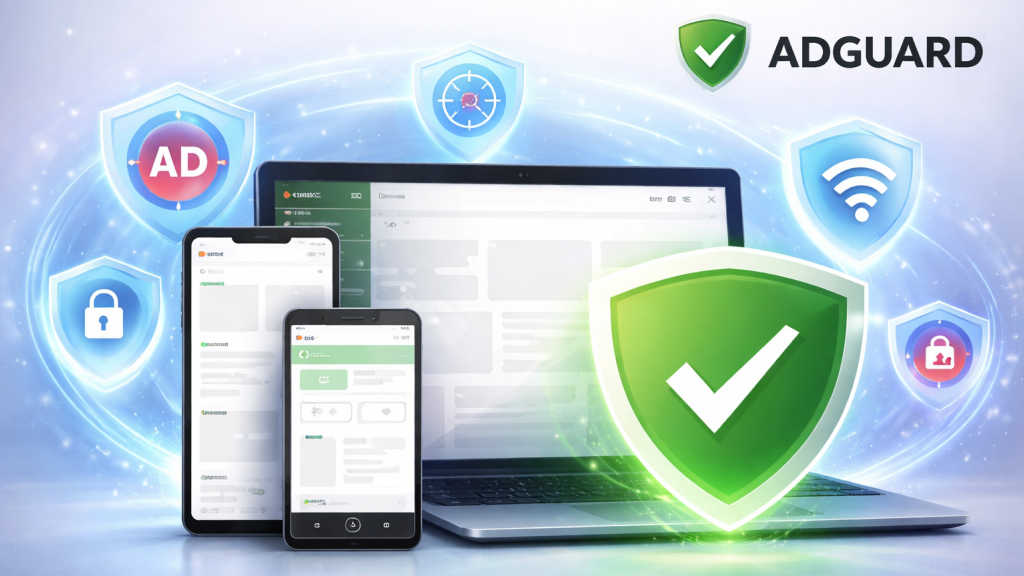
AdGuard AdBlocker is a powerful and versatile privacy tool designed to block ads, trackers, and online threats across multiple platforms. Available as a browser extension, standalone app, and even a DNS-based solution, it offers far more than basic ad blocking.
AdGuard works by filtering web traffic in real time, removing intrusive content and preventing unwanted scripts from loading. This not only creates a cleaner browsing experience but also improves speed, reduces bandwidth usage, and enhances overall security.
What sets AdGuard apart is its ability to provide protection beyond the browser. With dedicated apps and network-level filtering options, it can block ads and trackers across your entire device or even your home network. This makes it a strong choice for users looking for a more comprehensive, all-in-one privacy solution rather than a simple browser add-on. Some of the key features are:
- Advanced Ad Blocking
AdGuard effectively removes all types of ads, including banners, pop-ups, video ads, and full-screen overlays. It also allows users to manually block specific elements on a webpage, giving greater control over what is displayed.
- Tracker Blocking
The extension uses robust filtering lists to stop third-party trackers from collecting your data. This helps prevent cross-site tracking and reduces the amount of personal information shared with advertisers.
- Security and Threat Protection
AdGuard actively blocks access to malicious websites, phishing pages, and harmful scripts. This added layer of protection helps keep your data safe and reduces the risk of online threats.
- System-Wide Protection
With its desktop and mobile apps, AdGuard can filter traffic across your entire device, not just within your browser. This ensures that ads and trackers are blocked in apps, games, and other online services.
- DNS and Network-Level Blocking
AdGuard offers DNS-based solutions that stop ads and trackers before they even load. This makes it possible to protect multiple devices on the same network without installing extensions on each one.
- Customization and Stealth Mode
Users can fine-tune their experience with custom filtering rules and privacy settings. Features like Stealth Mode help hide browsing activity and prevent advanced tracking techniques.
- Ad Blocker Detection Bypass
AdGuard can handle websites that try to detect and block ad blockers. This allows users to continue browsing without needing to disable protection on such sites.
AdGuard AdBlocker is ideal for users who want a comprehensive, cross-platform solution that combines ad blocking, privacy protection, and security into a single, powerful tool.
5. Malwarebytes Browser Guard (Ad Blocking with Built-In Security Protection)

Malwarebytes Browser Guard is a free browser extension designed to combine ad blocking, privacy protection, and online security into a single tool. Available on major browsers, it goes beyond removing ads by actively protecting users from malicious websites, scams, and harmful online content.
Instead of focusing only on improving browsing appearance, Malwarebytes Browser Guard works in the background to create a safer and more secure web experience. It is built to detect and block potentially dangerous websites and deceptive content before they can cause harm.
This includes common online threats such as phishing attempts, scam pages, and malicious ads that can trick users into downloading harmful software or revealing sensitive information. Some of the key features are:
- Ad Blocking
Blocks intrusive ads such as banners, pop-ups, autoplay videos, and overlays. This helps create a cleaner and less distracting browsing experience.
- Tracker Blocking
Prevents third-party trackers from monitoring your browsing activity. This reduces data collection and helps protect your online privacy.
- Speed and Efficiency
By blocking unnecessary scripts and ads, it significantly improves page load times. It also reduces bandwidth usage, which is especially useful on slower connections.
- Scam and Malware Protection
Detects and blocks malicious websites, phishing attempts, and scam pages. This includes protection against deceptive ads and fake alerts designed to trick users.
- Cookie Consent Handling
Automatically manages or declines cookie consent pop-ups on supported sites. This reduces interruptions and improves the overall browsing experience.
- Manual Control
Allows users to manually block specific elements directly from a webpage. This provides additional customization for removing unwanted content.
Malwarebytes Browser Guard is a great option if you want a simple yet powerful extension that combines ad blocking with strong security protection.
6. DuckDuckGo Privacy Essentials (Simple, All-in-One Privacy Protection)

DuckDuckGo Privacy Essentials is a user-friendly browser extension and mobile app designed to make online privacy accessible to everyone. Built by DuckDuckGo, it focuses on protecting your personal data by reducing how much information websites and advertisers can collect about you.
Instead of overwhelming users with complex settings, it offers a straightforward, “set it and forget it” approach to privacy. By combining multiple privacy protections into a single extension, DuckDuckGo Privacy Essentials provides a convenient solution for users who want better privacy without technical complexity.
It’s particularly well-suited for beginners or anyone looking for a lightweight, hassle-free way to improve their online privacy while browsing the web. Some of its key features are:
- Tracker Blocking
DuckDuckGo Privacy Essentials identifies and blocks hidden third-party trackers before they can load. This prevents companies from monitoring your activity across websites and significantly reduces data collection.
- Ad Blocking
While its primary focus is privacy, the extension blocks many ads that rely on tracking scripts. This results in a cleaner browsing experience and faster page loading times.
- Cookie Pop-up Management
It automatically handles many cookie consent pop-ups by selecting the most privacy-friendly options. This reduces interruptions and saves time when visiting new websites.
- Advanced Protections
The extension protects against techniques like fingerprinting, link tracking, and CNAME cloaking. These measures help prevent more sophisticated forms of user tracking.
- App Tracking Protection
On supported devices, it can block trackers inside other apps, not just your browser. This extends privacy protection beyond web browsing.
- Encryption Enhancement
DuckDuckGo helps protect your data by using secure HTTPS connections whenever they’re available. This helps protect your data from being intercepted on public networks or by third parties.
DuckDuckGo Privacy Essentials is ideal for users who want a simple yet effective privacy tool that combines multiple protections into one easy-to-use extension.
7. Cookie AutoDelete (Automatic Cookie Cleanup for Better Privacy)

Cookie AutoDelete is a privacy-focused browser extension designed to give users greater control over how cookies and site data are stored. Unlike traditional ad blockers, it doesn’t directly block ads or trackers. Instead, it focuses on eliminating the data that trackers rely on. It works quietly in the background, ensuring that cookies and browsing data don’t remain on your device longer than necessary.
The main idea behind Cookie AutoDelete is simple: if you’re no longer using a website, there’s no reason for it to keep storing data about you. By automatically clearing cookies when tabs are closed, it helps reduce long-term tracking and minimizes your digital footprint. This makes it especially useful for users who frequently browse multiple sites and want to avoid being tracked across sessions.
Overall, Cookie AutoDelete is a lightweight yet effective tool that complements other privacy extensions, helping maintain a cleaner and more private browsing environment. Some of its key features are:
- Targeted Cookie Deletion
Cookie AutoDelete focuses on removing third-party cookies that are commonly used for cross-site tracking. This helps limit how advertisers and websites monitor your activity.
- Automatic Cleanup
The extension deletes cookies and site data as soon as you close a tab or browser session. This ensures that tracking data doesn’t linger unnecessarily on your device.
- Whitelisting and Greylisting
Users can choose to keep cookies for specific trusted websites, such as those where they want to stay logged in. This approach keeps things convenient without compromising your privacy.
- Enhanced Privacy Protection
By regularly clearing stored data, Cookie AutoDelete reduces the effectiveness of tracking techniques. This helps create a more private and controlled browsing experience.
How to Choose the Right Extensions

Not every user needs the same setup. Here’s a simple way to decide:
-
Identify Your Primary Needs
Start by deciding what matters most, ad blocking, privacy protection, or overall security. This helps you avoid installing unnecessary tools and keeps your setup focused.
-
Choose a Balanced Setup
For most users, one strong ad blocker combined with one or two privacy tools is enough. Many extensions offer multiple features, so you may not need separate tools for every function.
-
Check Browser Compatibility
Not all extensions work the same across browsers. Make sure the tool you choose supports your browser and offers full functionality on your device.
-
Install from Trusted Sources
Always download extensions from official web stores. Check user reviews, developer reputation, and how frequently the extension is updated to ensure reliability.
-
Avoid Too Many Extensions
Installing multiple extensions with similar functions can slow down your browser or cause conflicts. Stick to a minimal, well-curated set of tools.
-
Look for Customization Options
Good extensions allow you to adjust settings, whitelist trusted sites, and control how aggressively they block content. This ensures a smoother browsing experience.
-
Prioritize Privacy and Transparency
Choose extensions that are open-source or have clear privacy policies. Avoid tools that collect or sell user data.
A thoughtful combination of trusted extensions will help you stay protected while keeping your browsing experience fast and hassle-free.
Maintaining your privacy while browsing can be easier than it seems. With the right mix of ad blockers and privacy extensions, you can significantly reduce tracking, block intrusive ads, and create a safer browsing experience. Start with a few trusted tools, customize them to your needs, and gradually build a setup that works for you. A more private, faster, and cleaner web experience is just a few extensions away.