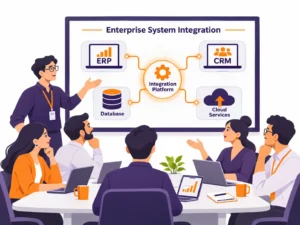


The best mobile app development platforms for scalable enterprise solutions fall into three camps. Cross-platform frameworks include React Native, Flutter, Kotlin Multiplatform and .NET MAUI. The second camp includes low-code platforms.
The third camp is fully native (Swift and Kotlin). Choose by your team’s existing skills, integration needs, performance ceiling and three- to five-year cost. Below we compare the trade-offs, match platforms to scenarios and give you questions to put to any vendor.

What enterprise mobile platforms cover and who they serve
This guide is for CTOs, heads of engineering and product leaders. You need an app that holds up at thousands of users and integrates with ERP and CRM systems. It must also meet compliance demands such as HIPAA or SOC 2.
Cross-platform frameworks
React Native, Flutter, Kotlin Multiplatform and .NET MAUI let one team target iOS and Android from shared code. Most enterprises choose this camp to avoid maintaining two native codebases.
Low-code platforms
Low-code platforms build apps with visual tools and prebuilt governance. Gartner named several vendors as Leaders. These vendors are proven at enterprise scale, but their runtime may not fit your app.
Fully native
Swift with SwiftUI on iOS and Kotlin with Jetpack Compose on Android give the deepest access to device features. The price is two codebases and two teams. A simple rule: JavaScript-heavy teams start with React Native, internal workflow apps start with low-code, and device-heavy products start with native.
- Your team writes mostly JavaScript or TypeScript: start with React Native.
- Your app is an internal workflow tool with governance needs: start with low-code.
How to evaluate a mobile platform for enterprise scale
Test each criterion at your projected ceiling. That is where platforms start to differ.
Scalability and total cost of ownership
A platform that works for 500 internal users can buckle at 50,000 external ones.
- Choose a platform if it supports cloud-native architecture, offline synchronization and load distribution.
- Choose a platform if its total cost of ownership holds up over three to five years. Count licenses, hosting, development, maintenance and the staff to run the apps, plus the first-year fee.
Security and compliance
- Choose a platform if it offers SSO, role-based access control, audit trails, and encryption at rest and in transit.
- Choose a platform that also supports HIPAA, PCI DSS, SOC 2 and FedRAMP where they apply to your business.
- Choose to test the finished app itself against the OWASP Mobile Application Security Verification Standard (MASVS). It groups its controls into eight areas, from storage to resilience. Your finished app requires its own certification.
Integration depth
- Choose a platform only if it passes your own test.
- Test authentication, write-back, failed requests and duplicate prevention against your ERP, CRM and identity provider with representative data (our mobile technology stack guide maps the layers involved).
Eliminate options in this order: security and governance, required integrations, device and offline needs, code ownership, internal skills, then cost.
The three development approaches and their trade-offs
Each approach gives something up. The question is which loss your app can absorb.
Low-code: speed for governed internal tools
Low-code platforms trade customization for speed. They suit internal tools and process automation, but proprietary runtimes create vendor lock-in and UI flexibility is limited.
Cross-platform: one codebase, different engines
React Native renders real native views, and its New Architecture removed the old asynchronous bridge. Flutter draws its own widgets for consistent UI, but needs Dart skills and has a narrower talent market. Kotlin Multiplatform shares business logic and keeps native screens. Our guide to choosing a cross-platform framework goes deeper.
Fully native: maximum control, double the team
Native suits strict low-latency needs, heavy camera or AR work and background location at scale.
If your team writes JavaScript and needs fast fixes, narrow to React Native. If UI consistency drives the product, choose Flutter. If you want shared logic with native screens, choose Kotlin Multiplatform.
Platform comparison across deciding criteria
Code-based frameworks and three representative low-code platforms are profiled from the enterprise buyer’s side. Your own requirements may shift a row.
Ratings are general profiles from our engineering experience. Shortlist the one framework that matches your team’s language, and add one low-code platform only if the app is an internal workflow tool.
| Deciding criterion | React Native | Flutter | Fully native | Low-code |
|---|---|---|---|---|
| Performance | Good; near-native for most apps, some bridge overhead for heavy graphics | Very good; compiled to native, strong UI performance | Best; full access to platform performance | Adequate for internal tools; limited for complex apps |
| Total cost of ownership | Low to moderate; one codebase, large talent pool | Low to moderate; one codebase, growing talent pool | High; two codebases, two teams | Low upfront; can rise sharply with scale and seats |
| Security and compliance | Strong with properly built native modules | Strong with properly built native modules | Strongest; full control of platform security | Depends on vendor; verify certifications and data residency |
| Integration depth | Deep via native modules | Deep via platform channels | Deepest; unrestricted device and API access | Limited to vendor connectors; custom work often restricted |
| Team skills required | JavaScript and React | Dart | Swift and Kotlin (two skill sets) | Low-code configuration; minimal engineering |
| Time to market | Fast | Fast | Slowest; parallel iOS and Android builds | Fastest for simple internal apps |
| Best fit | Cross-platform apps with large JavaScript teams | Polished cross-platform user experience | Performance-critical or deep-hardware apps | Governed internal workflow tools |
Recommended platform picks by enterprise scenario
Match the pick to your team and the app’s hardest requirement, in that order.
Cross-platform picks by team and product
- React Native suits existing React or JavaScript teams. A March 2026 benchmark recommends it for enterprise apps with deep native integrations or staged adoption. OTA updates cover JavaScript changes only, and hosted CodePush was retired in 2025, so plan on Expo’s EAS Update or a self-hosted CodePush server.
- Flutter suits greenfield, UI-heavy apps. In the same benchmark (React Native 0.84 against Flutter 3.38), Flutter led median time-to-interactive on iOS and Android flagships. Mid-range iOS devices were within error bars.
- Kotlin Multiplatform suits teams that want shared logic with native UI. It has been stable since 2023 and can be adopted one module at a time.
- .NET MAUI suits .NET shops invested in Azure.
Native for deep device access
Before committing, build a working proof of the demanding feature on your target devices. If it runs acceptably on a cross-platform framework, you have your answer.
Low-code for internal tools and process automation
All of these platforms run on proprietary runtimes, and most price by quote. If a runtime you cannot move off is a concern, we build the same kinds of internal tools and automations as custom software that you own:
- Workflow automation removes manual overhead by moving repetitive approvals and handoffs into automated, AI-assisted workflows.
- Custom internal tools are shaped around how your teams actually operate, rather than around a platform’s template.
- API development and integration connects those tools to the systems you already rely on, so data moves without re-entry.
Questions to ask before committing to a mobile platform
Bring this table to vendor meetings and internal alignment sessions. Each red flag is a reason to pause.
| Question | Answer to look for | Red flag |
|---|---|---|
| What happens to our app if we stop paying for the platform? | You own the source code or can export it to a standard format | Proprietary runtime with no documented exit path |
| How does pricing scale as our user base grows? | Published per-user or per-app tiers | Quote-based pricing that rises with runtimes, users or app size and no ceiling estimate |
| Can we test a connector with our own data and authentication flow? | A sandbox or trial with real data shapes | ‘It is in the connector catalogue’ with no hands-on testing |
| Does the platform support our HIPAA, SOC 2 or FedRAMP requirements? | Documented attestations and the ability to test the finished app | Platform-level certification presented as app-level compliance |
| How do we ship a critical fix quickly? | An OTA mechanism or a documented expedited app store review process | No OTA path and no guidance on expedited review |
| How does offline synchronization handle conflicts? | Built-in offline support with configurable conflict resolution | Offline works in demos but no conflict strategy is documented |
Ask every vendor to quote the same operating scenario. Include named users, monthly active users, environments, integrations, hosting and store publishing, plus exit terms such as source access and export rights.