


The spotlight in technology may be firmly fixed on artificial intelligence and automation, but macOS has been evolving in quieter, more meaningful ways.
With macOS Tahoe, Apple introduced the Liquid Glass design language, refining the visual experience. Yet the most significant improvements are not coming from the operating system alone but are being driven by a new wave of third-party apps built with precision, purpose, and usability in mind.
In 2026, the Mac ecosystem stands out not because of feature overload, but because of thoughtful software that solves real problems efficiently. Instead of adding complexity, modern Mac apps are increasingly focused on clarity, speed, and intelligent workflows.
Let’s explore the most compelling apps reshaping productivity, creativity, and everyday workflows on macOS.
1. Antinote (A Smarter Scratchpad for Quick Capture)
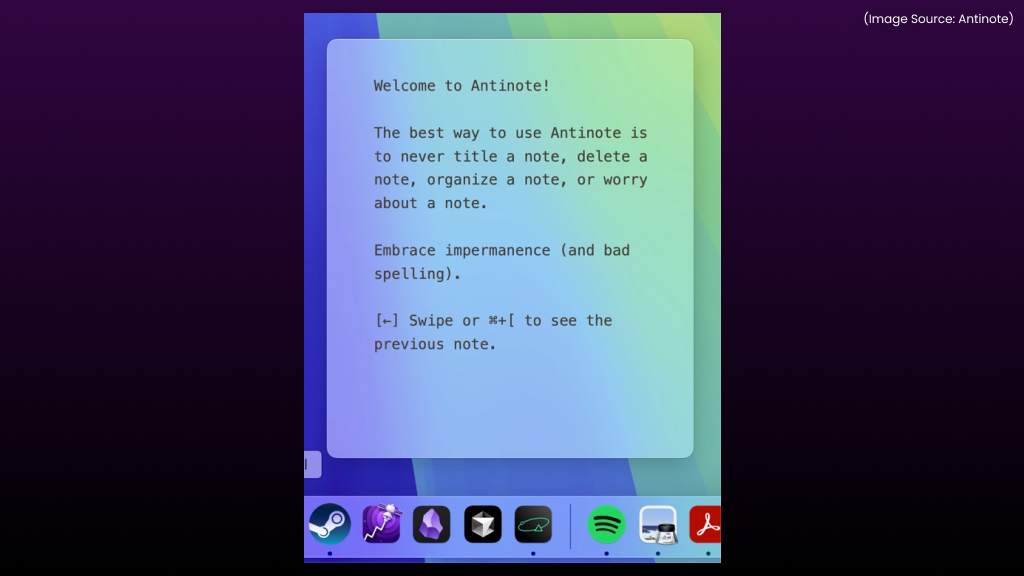
Antinote introduces a fresh take on note-taking by removing unnecessary complexity and focusing on capturing ideas quickly and effortlessly. Instead of functioning as a traditional, structured notes app, it operates as a lightweight, dynamic scratchpad that stays out of the way until needed. Its floating interface can be pinned above all windows, making it instantly accessible without interrupting the flow of work.
One of Antinote’s biggest strengths is its frictionless approach. There’s no need to think about titles, folders, or formatting. Notes can be created with a simple gesture, and users can swipe between entries seamlessly. This makes it ideal for jotting down fleeting thoughts, quick reminders, or rough drafts that can be organized later in a more robust notes app.
What truly sets Antinote apart is its intelligent, command-based adaptability. By typing specific keywords at the top of a note, the app transforms its functionality in real time.
- Typing “math” converts the note into a calculator
- Typing “list” transforms it into a checklist
- Typing “sum” automatically totals numbers
- Typing “timer pomo” launches a Pomodoro timer
In practical use, Antinote excels as a companion tool rather than a replacement for full-featured note apps. It works particularly well during meetings, brainstorming sessions, or multitasking scenarios where speed is critical. By removing unnecessary steps and introducing smart, context-aware features, Antinote delivers a fast, intuitive, and surprisingly powerful way to capture and interact with everyday information.
2. Claude Code & Cowork (Practical AI (AI Software & AI Web) Automation on macOS)
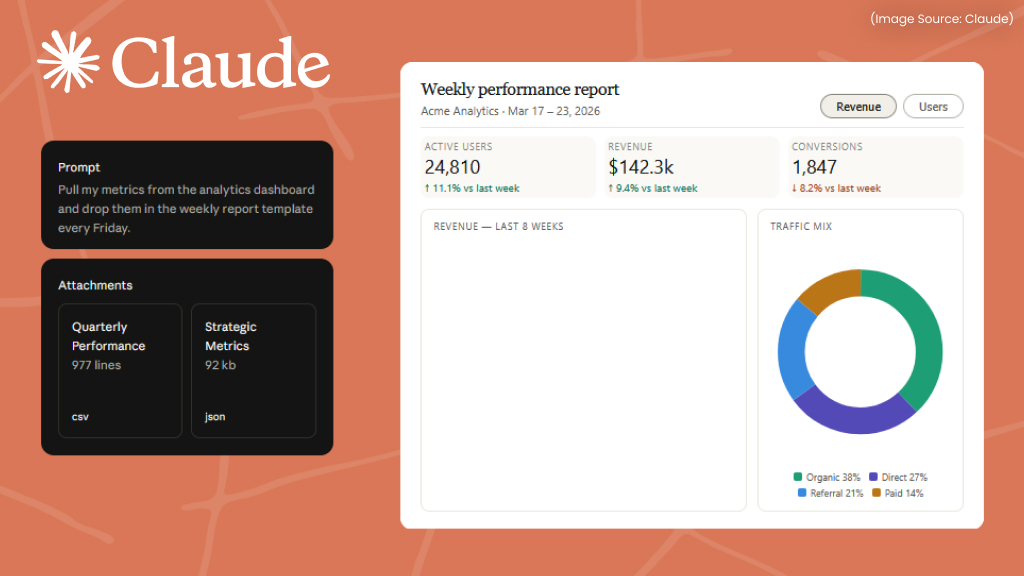
Claude Code and Cowork mark a significant shift in how artificial intelligence integrates with everyday Mac workflows. Instead of functioning as standalone web tools, both are built directly into the Claude desktop environment, enabling AI (AI Software & AI Web) to move beyond suggestions and into real, system-level actions.
Claude Code focuses on simplifying development by turning natural language into working code. Rather than relying on traditional coding environments, users can describe what they want to build and refine it through conversation. This approach makes development more accessible and efficient, especially for:
- Rapid prototyping of apps and websites
- Generating scripts for repetitive tasks
- Learning programming concepts through iteration
- Building internal tools without complex setups
Claude Cowork extends these capabilities into full desktop automation. With access to local files and folders, it can execute multi-step workflows that would typically require manual effort or Terminal commands. Its functionality includes:
- Renaming and organizing files in bulk
- Converting file formats (images, documents, media)
- Sorting and restructuring folders
- Executing complex workflows in the background
A key advantage is its transparency and control. Before performing any action, Cowork outlines the steps and seeks confirmation, ensuring that operations remain safe and predictable.
In real-world scenarios, this combination significantly reduces repetitive work. Tasks such as organizing large image libraries or processing batches of documents can be completed with a single instruction, saving time and effort.
Compared to traditional tools like Automator or Shortcuts, Claude Code and Cowork eliminate the need to predefine workflows. Instead, they introduce a more flexible, intent-driven approach where actions are executed based on simple, natural language input, making advanced automation more accessible, efficient, and adaptable.
3. Pipit (Accurate, On-Device Voice Transcription)
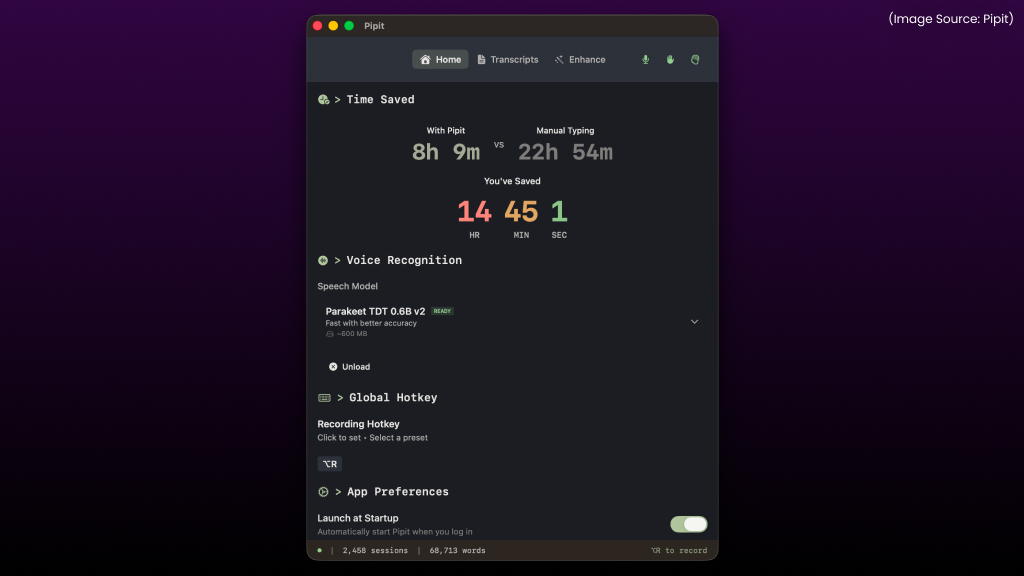
Pipit significantly enhances voice input on macOS by combining speed, accuracy, and privacy in a lightweight, efficient tool. While built-in dictation has been available for years, it often falls short when it comes to punctuation, formatting, and consistency. Pipit addresses these limitations by leveraging advanced on-device AI (AI Software & AI Web) models to deliver fast, real-time transcription that feels far more reliable for everyday use.
One of its biggest advantages is its local processing. Since everything runs on-device, spoken data never needs to be sent to external servers. This results in faster response times, improved privacy, and the ability to work even without a constant internet connection. The app can be activated instantly using a global keyboard shortcut, making it easy to start dictating in any application without breaking workflow.
Beyond basic speech-to-text, Pipit intelligently refines output as it transcribes, making it far more usable out of the box. Key capabilities include:
- Automatic punctuation and formatting for clean, structured text
- Removal of filler words to improve clarity and readability
- Natural sentence structuring, reducing the need for edits
- Real-time transcription across any app on macOS
Pipit also extends its usefulness beyond live dictation. It supports audio file transcription, allowing recordings such as meetings, interviews, or lectures to be converted into polished, readable text within seconds.
Another standout feature is its voice command support, enabling hands-free control of the system. Simple spoken instructions can be used to:
- Open applications
- Perform quick web searches
- Trigger basic system actions
Compared to traditional dictation tools or cloud-based transcription services, Pipit stands out for its balance of performance, privacy, and convenience. By making voice input accurate and dependable, it transforms dictation from a secondary feature into a powerful, everyday productivity tool.
4. Substage (AI-Driven (AI Software & AI Web) File Management Without Terminal)
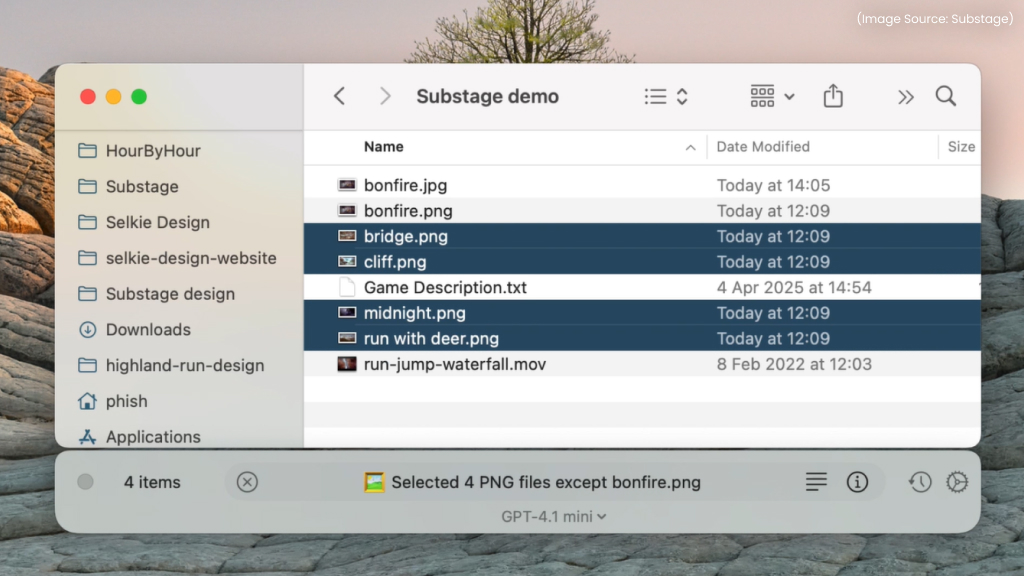
Substage simplifies advanced file management on macOS by replacing complex Terminal commands with simple, natural language instructions. While macOS already offers powerful tools through Finder and Terminal, many advanced operations, such as batch conversions, archive handling, or file restructuring, often require technical knowledge. Substage bridges this gap by allowing users to describe what they want to do, while the app translates those instructions into precise system-level commands and executes them safely in the background. The result is a faster, more intuitive way to handle tasks that would otherwise be time-consuming or error-prone.
Instead of manually writing commands or navigating multiple menus, workflows can be completed with minimal effort. Substage also maintains transparency by showing the generated actions before execution, ensuring users remain in control. Key capabilities include:
- File format conversion (e.g., images, videos, documents)
- Archive management such as creating or extracting ZIP files
- PDF operations, including splitting or merging pages
- Batch processing of multiple files at once
- Automated workflows based on simple text prompts
Common use cases for Substage include converting images into optimized formats for web or social media, compressing large folders for easier sharing or storage, extracting specific pages from lengthy documents, and preparing media files in the appropriate formats for various projects.
By combining the power of Terminal with the simplicity of natural language, Substage makes advanced file operations accessible to a much wider range of users without sacrificing efficiency or control.
5. Affinity by Canva (Unified Creative Platform)
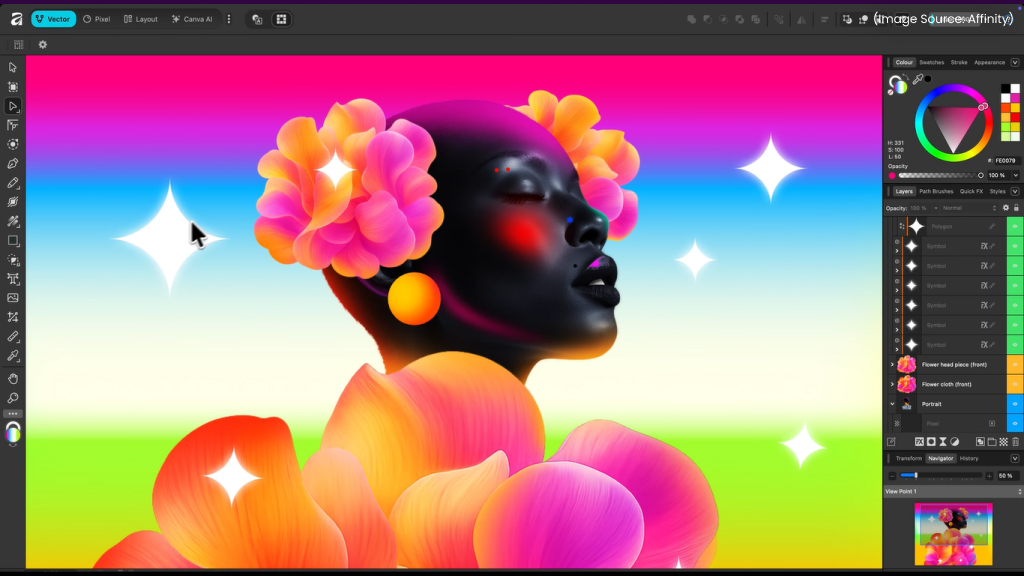
Affinity by Canva brings together multiple creative tools into a single, streamlined application, reducing the need to switch between separate software for different design tasks. Traditionally, creative workflows required distinct apps for photo editing, vector design, and layout creation. Affinity by Canva eliminates this fragmentation by offering a unified environment where all these capabilities coexist. This integrated approach not only improves efficiency but also allows projects to evolve seamlessly, from initial concept to final output, without breaking the creative flow.
Within the same file, users can move effortlessly between different modes depending on the task at hand. This flexibility makes the platform suitable for a wide range of creative work, from simple edits to complex, multi-layered designs. It is particularly valuable for designers, marketers, and content creators who require versatility without the overhead of managing multiple tools.
Key features and capabilities include:
- Pixel mode for advanced photo editing and image manipulation
- Vector mode for creating scalable graphics, illustrations, and UI elements
- Layout mode for designing multi-page documents, presentations, and print materials
- Seamless mode switching within a single project file
- Optional AI-powered (AI Software & AI Web) tools such as object selection and background removal
Common use cases for Affinity by Canva include designing marketing materials such as banners, posters, and social media graphics, creating UI/UX mockups and digital interfaces, producing print-ready documents like brochures and magazines, and editing or compositing images for both professional and personal projects.
By combining flexibility, performance, and a unified workflow, Affinity by Canva offers a powerful alternative to traditional multi-app creative suites, making high-quality design more accessible and efficient.
6. Orion Browser (Performance, Privacy, and Extension Support)
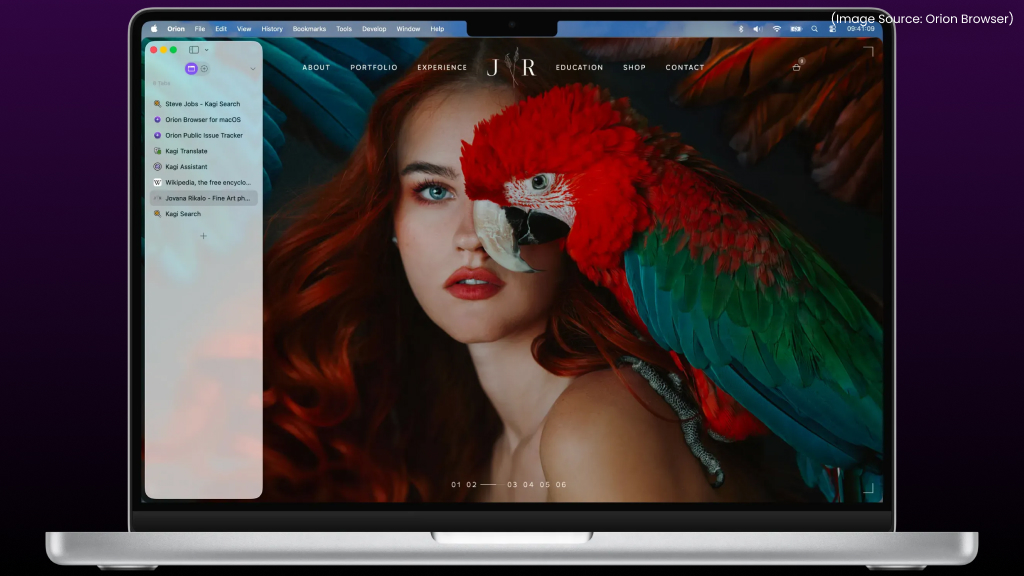
Orion takes a different approach in the browser landscape by combining WebKit efficiency with the flexibility typically associated with Chromium-based browsers. While many browsers struggle with resource usage or raise privacy concerns, Orion focuses on delivering speed without compromising user data.
Built on WebKit, it ensures smooth performance, lower memory consumption, and improved battery efficiency on Mac devices. At the same time, it introduces capabilities rarely seen in this category. Key strengths include:
- Fast performance with minimal CPU and RAM usage
- Strong privacy protections, including zero telemetry tracking
- Built-in ad blocking and anti-tracking for a cleaner browsing experience
- Native support for Chrome and Firefox extensions, a rare capability for a WebKit-based browser
This combination allows users to retain familiar tools while benefiting from a lightweight, privacy-first browsing experience.
7. Daft Music (A Lightweight Music Experience)
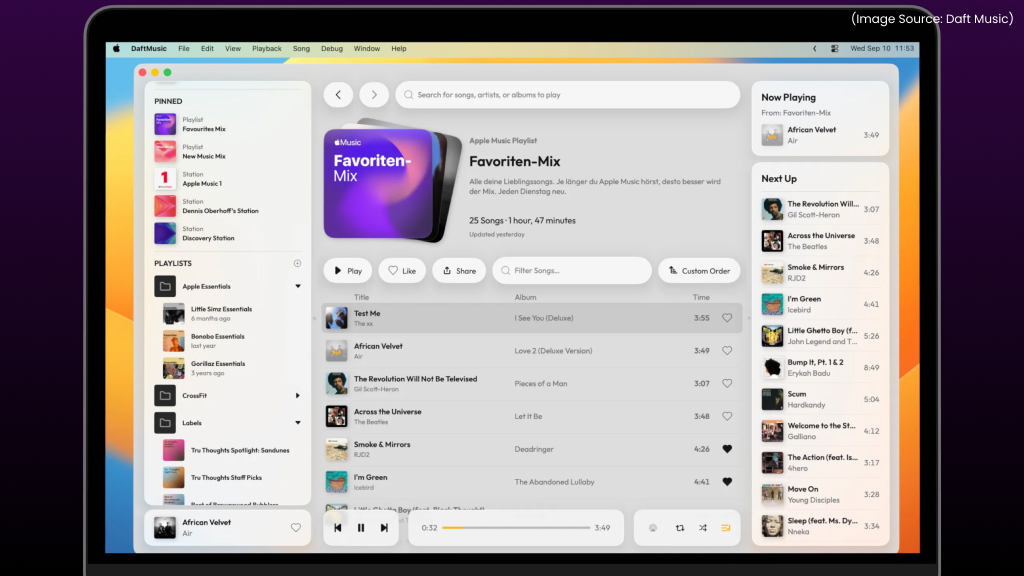
Daft Music reimagines the default macOS Music experience with a distraction-free interface built around speed and simplicity. Instead of adding complexity, it simplifies the interface down to essential controls, making everyday music listening faster and more intuitive. The interface feels fast, responsive, and intuitive, allowing users to quickly find, play, and manage their music without distractions.
Despite its minimal design, Daft Music remains highly functional and integrates seamlessly with existing music services, making it well-suited for users who prioritize both performance and ease of use. Some key highlights include:
- Fast navigation and playback for a smooth listening experience
- Clean, clutter-free interface inspired by modern macOS design
- Efficient playlist management with quick access to favorites
- Apple Music integration for accessing existing libraries
- Spotify playlist syncing for expanded music discovery and updates
8. Beeper (Unified Messaging Across Platforms)
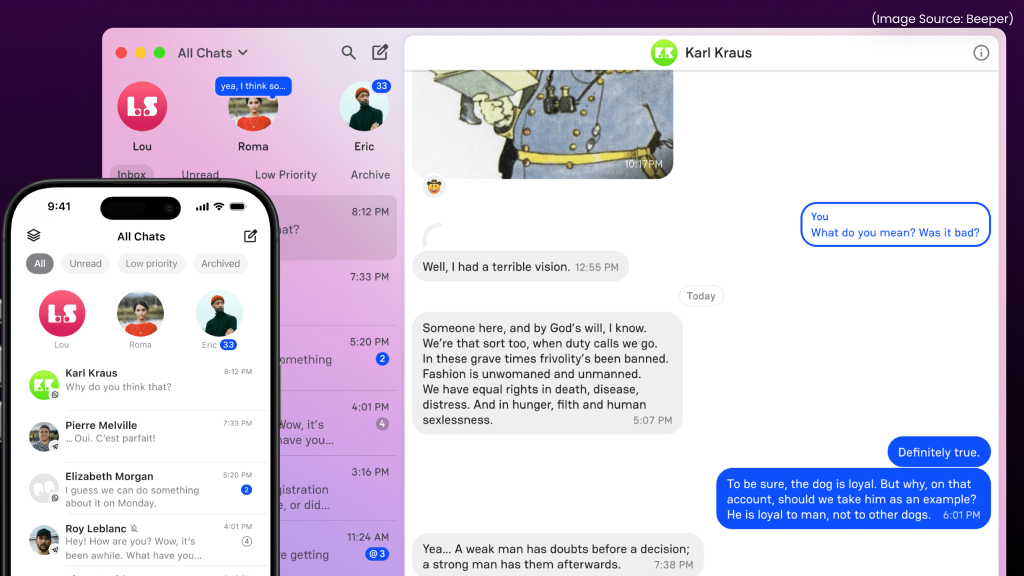
Beeper centralizes digital communication by bringing multiple messaging platforms into a single, unified interface. Instead of switching between apps throughout the day, conversations are consolidated into one streamlined view, reducing context switching and improving focus.
It supports a wide range of services, including WhatsApp, Discord, Messenger, LinkedIn, Signal, and iMessage, allowing users to stay connected across platforms without juggling multiple windows.
Beyond consolidation, Beeper introduces features that enhance communication efficiency:
- Unified inbox for managing all conversations in one view
- Scheduled messaging to send messages at a later time
- Message preview controls for reading without triggering read receipts
- Multi-account support across platforms
This approach transforms messaging from a fragmented experience into a more structured and manageable workflow.
9. wBlock (Efficient Content Blocking for Safari)
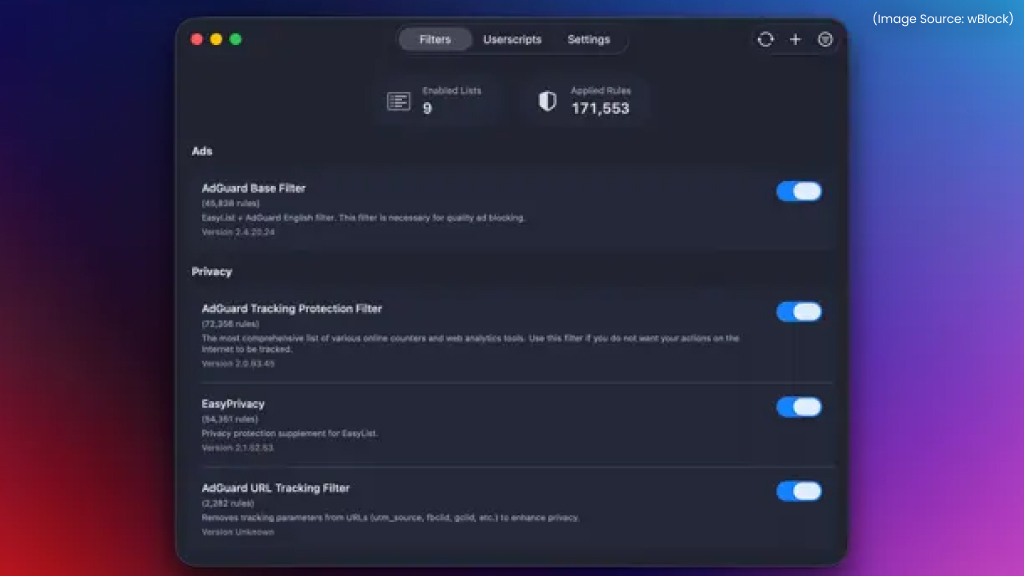
wBlock enhances Safari by offering a lightweight and highly customizable content-blocking solution designed specifically for macOS. Unlike traditional browser extensions that can slow down performance, wBlock is built using Apple’s native content-blocking APIs, ensuring it runs efficiently with minimal impact on system resources. This makes it an ideal choice for users who want a faster, cleaner browsing experience without sacrificing performance.
The app provides flexible control over how content is filtered, allowing users to tailor their browsing environment according to their preferences. Some key features include:
- Minimal performance impact due to native API integration
- Customizable filtering options for different browsing needs
- Community-maintained blocklists for up-to-date protection
- Manual element removal tools to eliminate unwanted content
By combining efficiency with customization, wBlock delivers effective ad and tracker blocking while maintaining Safari’s speed and responsiveness.
10. LaunchOS (Restoring and Enhancing App Navigation)
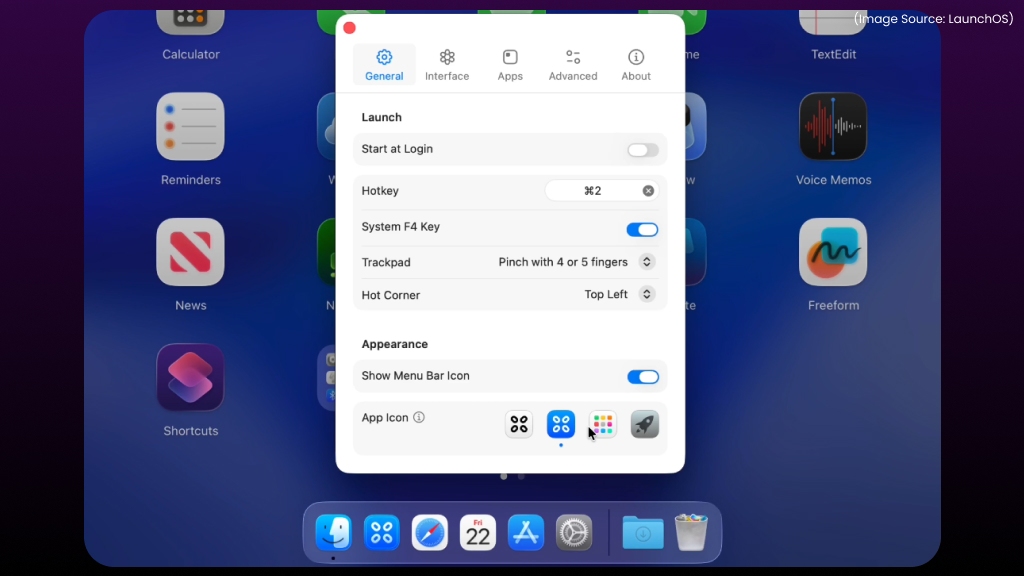
LaunchOS brings back the familiar Launchpad-style experience that many users relied on, while adding modern customization features to improve usability. After the removal of Launchpad in macOS Tahoe, navigating apps visually became less intuitive for some users. LaunchOS fills that gap by reintroducing a fullscreen, grid-based interface that makes browsing installed applications simple and organized.
Beyond just restoring the old experience, it enhances it with flexible controls and personalization options, making app navigation faster and more adaptable to different workflows. Some key features and capabilities include:
- Fullscreen app browsing for a clear, distraction-free view
- Paginated layouts for easy navigation between app groups
- Keyboard shortcuts and trackpad gestures for quick access
- Hot corner activation for instant launching
- App organization and visibility controls for a more personalized layout
By combining familiarity with added flexibility, LaunchOS offers a practical and efficient solution for users who prefer a visual approach to managing apps on macOS.
11. Bloom (Advanced File Management with Multi-Pane Views)
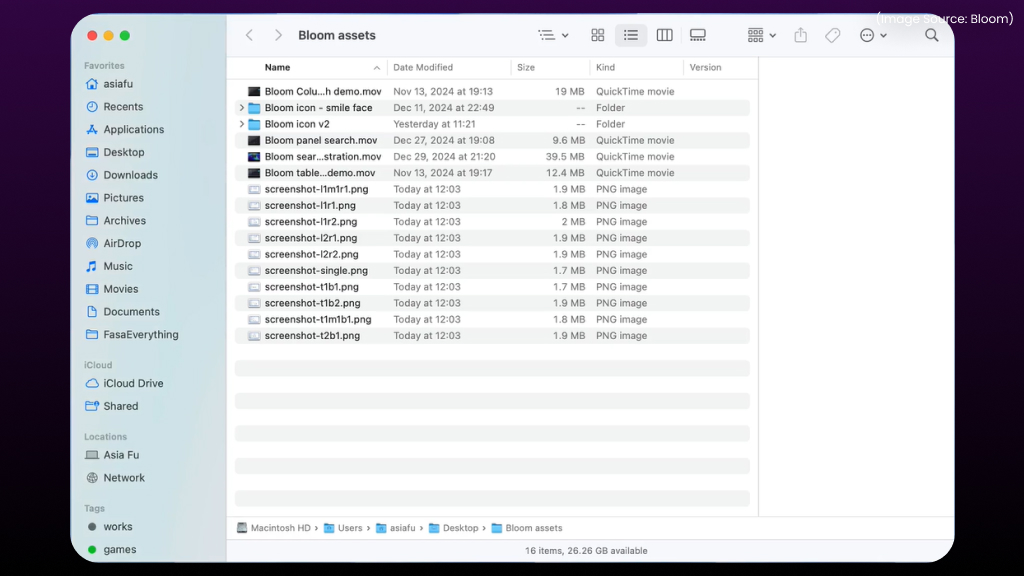
Bloom redefines file management on macOS by introducing a powerful multi-pane interface that allows multiple directories to be viewed and managed simultaneously. Unlike the traditional single-window approach, Bloom enables a more efficient workflow by reducing the need to switch between tabs or windows. This proves particularly valuable for users who regularly organize files, transfer data, or work across multiple folders at once.
The app is designed to improve both speed and clarity, offering a more structured and flexible way to handle files on a daily basis. Some key benefits include:
- Side-by-side folder comparison for better visibility and control
- Drag-and-drop efficiency for faster file transfers
- Customizable layouts with support for up to four panes
Additionally, integration with cloud storage services such as iCloud Drive, OneDrive, and Dropbox expands its functionality, making Bloom a strong choice for handling complex file management tasks across local and cloud environments.
12. DockFlow (Context-Aware Workspace Management)
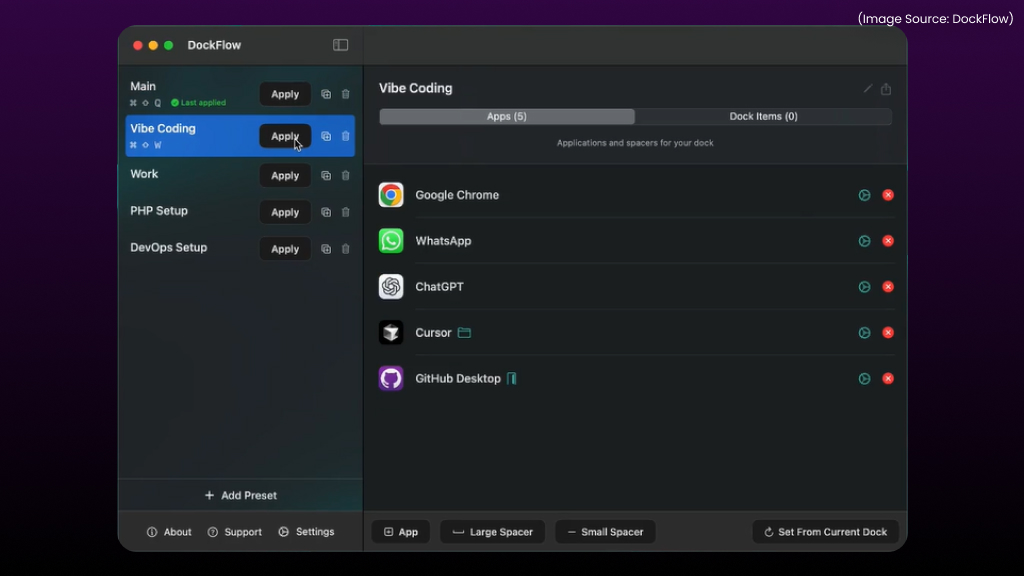
DockFlow transforms the macOS Dock into a context-aware workspace that adapts to different tasks. Instead of displaying the same set of apps at all times, it allows users to switch between customized workspace configurations tailored to specific activities such as work, research, or personal use.
This approach minimizes distractions and ensures that only relevant tools are visible at any given time. Key workspace configurations include:
- Display relevant applications based on the current task
- Launch predefined workflows instantly
- Activate system Focus modes to limit interruptions
- Automatically arrange windows for a structured workspace
By aligning the workspace with the task at hand, DockFlow creates a more focused and efficient working environment.
13. Amphetamine (Reliable System Wake Control)
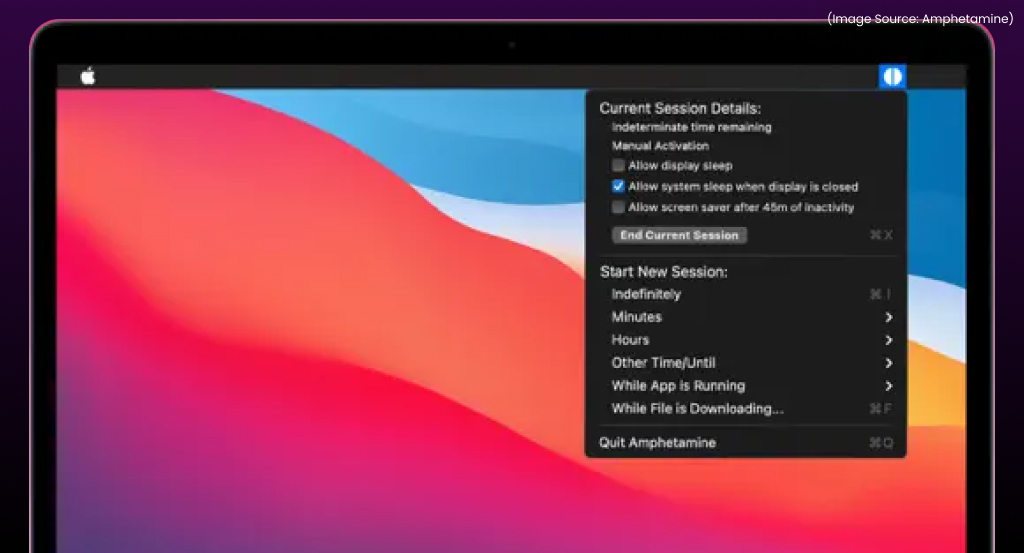
Amphetamine is a lightweight utility that gives precise control over macOS sleep behavior, allowing critical processes to run without disruption. While macOS includes basic power management settings, they often lack flexibility for more specific needs. Amphetamine fills this gap by allowing users to keep their system awake based on customizable conditions, making it especially useful for workflows that require continuous activity.
The app is simple to use yet highly configurable, enabling users to define exactly when and how the system should remain active. Common use cases for Amphetamine include preventing interruptions during long-running downloads, maintaining continuous uptime for media streaming or server-related tasks, and ensuring background processes such as rendering or large file transfers continue without being disrupted by system sleep.
With support for custom triggers and timed sessions, Amphetamine offers a flexible and reliable solution for maintaining system activity based on specific user requirements.
14. Backblaze (Continuous and Secure Backup Solution)
Backblaze provides a reliable and fully automated backup solution that operates independently of traditional cloud syncing services. While syncing ensures files stay updated across devices, it does not protect against accidental deletion or system failure. Backblaze addresses this gap by continuously backing up files in the background, ensuring data remains secure and recoverable at all times.
Designed with simplicity in mind, Backblaze follows a set-and-forget approach, requiring minimal user intervention once configured. This makes it an ideal choice for individuals and professionals who want dependable data protection without managing complex settings. Some core features include:
- Continuous file backup that runs automatically in the background
- Version history and recovery for restoring older or deleted files
- Offsite data protection to safeguard against hardware failure or loss
By focusing on automation and reliability, Backblaze ensures that important data remains protected with minimal effort.
15. Dato (Enhanced Menu Bar Functionality)
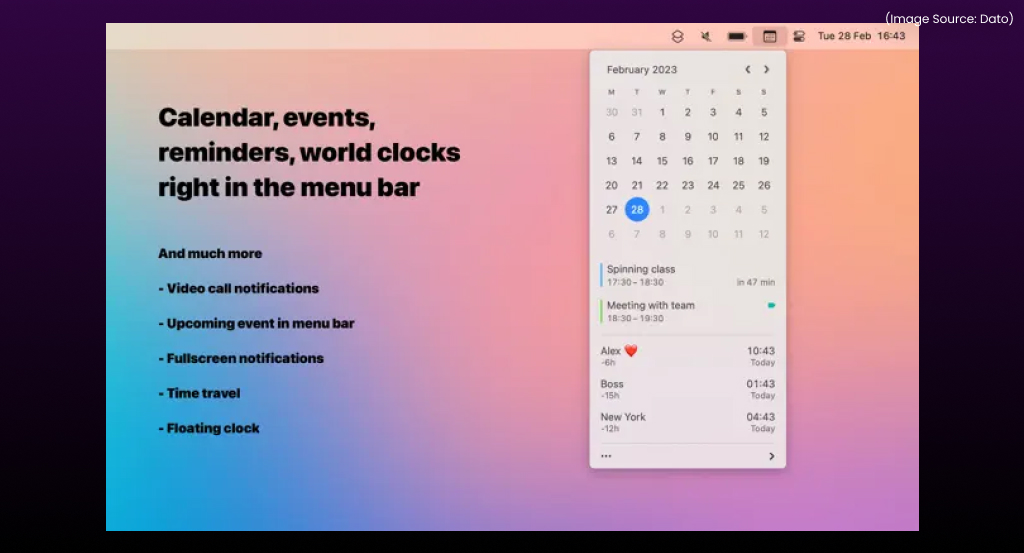
Dato upgrades the macOS menu bar by replacing the default clock with a more informative and customizable alternative. While the native clock offers only basic functionality, Dato expands it into a practical productivity tool that provides quick access to time-related information and calendar events. Its clean design blends seamlessly with macOS while offering significantly more control and visibility.
The app is particularly useful for users who manage schedules, work across time zones, or rely on quick calendar access throughout the day. Despite being a small utility, it delivers a noticeable improvement in everyday usability. Some of its key features include:
- Detailed date and time display with customizable formats
- Calendar integration for quick access to upcoming events
- Time zone tracking for managing global schedules
- Quick access to scheduled events directly from the menu bar
By enhancing a frequently used system element, Dato provides a simple yet highly effective way to improve daily workflow efficiency.
The Mac ecosystem in 2026 demonstrates that meaningful innovation extends far beyond visual redesigns. The most impactful improvements are coming from a new generation of applications that prioritize clarity, efficiency, and real-world usability.
Rather than overwhelming users with feature-heavy software, these tools focus on solving specific problems with precision. From AI-driven (AI Software & AI Web) automation to refined utility apps, each contributes to a more capable and adaptable macOS experience.
For those aiming to streamline workflows, enhance creativity, or reduce friction in everyday tasks, these apps represent some of the most impactful upgrades available on macOS today.