

For years, text messaging has remained one of the simplest ways to stay in touch. Whether you’re sending a quick update, sharing a photo, or coordinating plans with family and friends, traditional SMS has served as a reliable communication tool. However, as smartphones have become more capable, people’s expectations from messaging have also evolved. Users now expect high-quality media sharing, interactive group conversations, read receipts, and stronger security, all without needing to install a separate messaging app.
Rich Communication Services (RCS) is designed to address these limitations by bringing a richer and more interactive messaging experience to smartphones. Instead of relying solely on traditional cellular messaging networks, RCS uses Wi-Fi or mobile data to support features that many people associate with popular messaging apps.
The technology has gained even greater attention following Apple’s adoption of RCS, making conversations between Android and iPhone users significantly smoother than before. As more smartphone manufacturers, carriers, and messaging apps embrace the standard, RCS is steadily becoming the future of everyday texting.
What is RCS Chat?

RCS, short for Rich Communication Services, is a next-generation messaging standard designed to enhance traditional text messaging. Instead of relying on the limitations of conventional texting, RCS uses Wi-Fi or mobile data to support richer conversations between compatible smartphones. This allows users to share high-quality photos, videos, documents, and other content while benefiting from interactive messaging features.
Unlike standalone messaging platforms that require users to create accounts or download separate apps, RCS is built directly into supported messaging applications, such as Google Messages on Android devices. Once enabled, it offers a more seamless communication experience while allowing users to continue messaging through their phone’s default texting app.
To access RCS features, both the sender and recipient generally need compatible devices, supported carriers or messaging services, and RCS enabled on their phones. If these conditions are not met, the conversation typically falls back to standard text messaging, ensuring messages can still be delivered.
As support continues to expand across mobile platforms, RCS is helping bridge the gap between traditional texting and modern internet-based messaging services.
How Does RCS Improve Messaging?

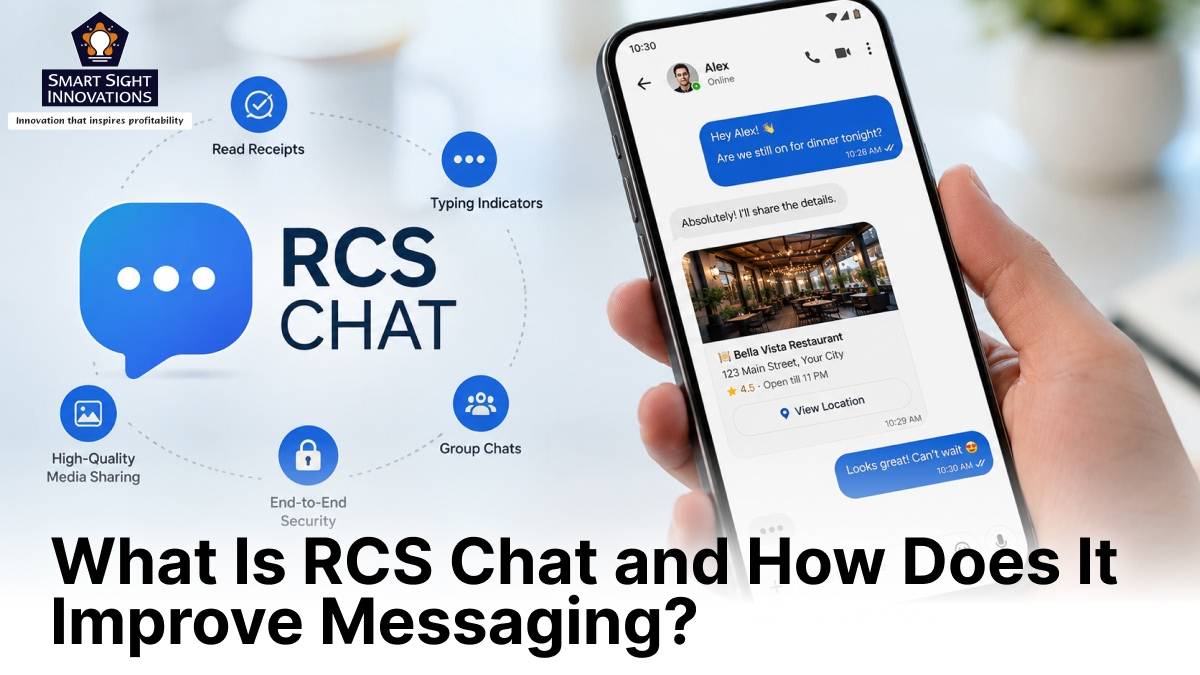
RCS introduces several improvements that make everyday conversations more interactive, convenient, and reliable. By supporting features such as high-quality media sharing, typing indicators, and read receipts, it delivers a richer and more engaging messaging experience.
-
Share high-quality photos, videos, and files
One of the biggest improvements RCS brings is the ability to send high-resolution photos, videos, audio recordings, and documents without the severe compression often associated with traditional text messaging.
Whether you’re sharing vacation pictures, important documents, or lengthy videos, recipients receive content with much better quality, making conversations feel more natural and visually appealing.
-
See when someone is typing
RCS supports typing indicators, allowing you to know when the other person is actively composing a reply. Although it may seem like a small addition, this feature makes conversations feel more responsive and helps avoid situations where both people send messages at the same time.
-
Know when your message has been read
With read receipts, you can see whether your message has been delivered and viewed by the recipient. This provides greater clarity during conversations, particularly when discussing time-sensitive information.
Users typically have the option to turn read receipts on or off based on their privacy preferences.
-
Create better group conversations
Group messaging also becomes much more organized with RCS. Instead of basic text threads, users can create named groups, customize group icons, add or remove participants, and leave conversations whenever they choose.
These improvements make coordinating with family members, colleagues, or friends considerably easier than traditional group texting.
-
Send messages over Wi-Fi or mobile data
Unlike conventional text messaging that depends entirely on cellular networks, RCS sends messages over Wi-Fi or mobile data. As long as you’re connected to Wi-Fi or mobile data, you can continue messaging even in places where your cellular signal may be weak.
This often results in faster message delivery while also supporting richer media and interactive features.
-
Better communication between Android and iPhone users
Support for RCS across Android and iPhone is making cross-platform conversations far more seamless than before. Previously, conversations between the two platforms often involved compressed photos, limited reactions, and basic group messaging.
Today, users can enjoy clearer media sharing, richer reactions, improved group conversations, and a more consistent messaging experience. While some features still depend on device compatibility and software support, messaging between Android and iPhone has become significantly more capable than it once was.
-
No additional subscription required
Using RCS does not usually involve any additional messaging charges. Instead, messages are transmitted over your existing Wi-Fi or mobile data connection, similar to other internet-based communication apps.
Depending on your carrier, a standard SMS may be used briefly during the initial phone number verification process when setting up RCS.
Turning on RCS Chats in Google Messages

If your Android phone supports RCS, enabling it usually takes only a few moments. Most modern Android smartphones already include Google Messages, making the setup process straightforward.
Follow these steps to enable RCS chats:
- Open the Google Messages app on your Android phone.
- Tap your profile picture or account icon in the upper-right corner.
- Select Messages settings.
- Tap RCS chats and turn it on.
After enabling the feature, Google Messages will verify your phone number. Once the verification process is complete, your RCS status should display Connected, indicating that you can use RCS features when messaging other users who also have RCS enabled. If activation takes longer than expected, there are several things you can check:
- Ensure Google Messages is your default messaging app.
- Confirm your phone has an active internet connection through Wi-Fi or mobile data.
- Verify that your phone number can receive SMS messages, as this may be required during setup.
- Update Google Messages to the latest version if necessary.
Some carriers or devices may not currently support RCS. In such cases, the messaging app will notify you if the feature is unavailable.
How do RCS Chats Keep Your Conversations Secure?

One of the biggest advantages of RCS over traditional text messaging is its stronger focus on security. Along with richer communication features, RCS includes protections that help keep your conversations more private and secure.
-
End-to-end encryption for supported chats
Google Messages offers end-to-end encryption for eligible RCS conversations, ensuring that only the sender and intended recipient can read the messages being exchanged. This helps protect personal messages, photos, videos, and shared files from unauthorized access. Combined with modern communication protocols over Wi-Fi or mobile data, RCS delivers a more secure messaging experience while supporting advanced features like high-quality media sharing and read receipts.
-
Phone number verification
When you enable RCS, your phone number is verified before the service is activated. This process helps link your number to the correct device, reducing communication errors and ensuring messages are delivered securely.
-
Spam detection and reporting
Google Messages also includes built-in tools to identify suspected spam messages. Users can report unwanted conversations, helping improve spam detection over time and reducing exposure to fraudulent or malicious messages.
-
Security depends on compatibility
While RCS significantly improves messaging security, some protections depend on the devices and messaging apps being used. For example, end-to-end encryption is available only for supported RCS conversations. If a chat falls back to standard text messaging because one participant does not have RCS enabled or uses an unsupported device, advanced security features such as encryption may not be available.
Keeping your messaging app updated and ensuring RCS remains enabled helps you benefit from the latest security enhancements.
Can iPhone Users Use RCS Chats?

Yes, compatible iPhones now support RCS, allowing users to enjoy a richer messaging experience when communicating with Android devices.
To use RCS, iPhone users generally need a compatible version of iOS, carrier support, and the appropriate messaging settings enabled on their device. Since availability may vary depending on the carrier and region, users should check their carrier’s guidance if RCS does not appear as an available option.
With RCS support expanding across both Android and iPhone, conversations between the two platforms are becoming much more seamless. Users can benefit from improved media quality, enhanced group chats, and other modern messaging features that were previously unavailable in cross-platform conversations.
Does RCS Cost Anything?

In most cases, RCS does not require any additional subscription or messaging fee because it uses your existing Wi-Fi or mobile data connection, much like other internet-based messaging apps.
If you are connected to Wi-Fi, sending RCS messages generally does not consume mobile data. When using cellular data, your messages count toward your normal data allowance rather than incurring separate messaging fees.
During the initial setup process, your carrier may send or receive a standard SMS to verify your phone number, but ongoing RCS messaging itself typically does not involve additional charges.
Are There Any Limitations to RCS?

Although RCS offers a significantly richer messaging experience, there are still a few limitations to keep in mind. First, RCS requires access to Wi-Fi or mobile data to support its advanced messaging features. Without either connection, conversations may revert to standard text messaging.
Second, both participants generally need compatible devices and RCS enabled to access the full range of features. If either user does not support RCS, capabilities such as high-quality media sharing, typing indicators, and read receipts may not be available.
Finally, RCS availability can vary depending on the device, messaging application, carrier, and region. While support continues to expand globally, some users may still encounter limited functionality depending on their mobile network or software version.
As messaging continues to evolve, RCS is emerging as the standard that bridges the gap between traditional texting and modern communication. Its ability to support richer conversations, improved security, and better compatibility across devices makes it a valuable upgrade for everyday messaging. If your smartphone supports RCS, enabling it is an easy way to enjoy a richer, more connected, and more secure messaging experience.